
- Mark as New
- Bookmark
- Subscribe
- Subscribe to RSS Feed
- Permalink
- Report Inappropriate Content
Error 190
Hi, I just changed out TT Home & Business 2018 for TT Premier 2018. All of my current returns came over. But when I tried to open them I got the Error 190. I went to the community for the solution and followed it. But when I try to download the CA state TT wants to charge me $49.99. TT Premier 2018 is supposed to come with one free state download. I have no other states downloaded. How do I get past the $49.99 charge to get the free state download?

- Mark as New
- Bookmark
- Subscribe
- Subscribe to RSS Feed
- Permalink
- Report Inappropriate Content
Get your taxes done using TurboTax
Watch your email for additional instructions from us!
- Mark as New
- Bookmark
- Subscribe
- Subscribe to RSS Feed
- Permalink
- Report Inappropriate Content
Get your taxes done using TurboTax
Did you get my responses to your questions?
Barry Jackier

- Mark as New
- Bookmark
- Subscribe
- Subscribe to RSS Feed
- Permalink
- Report Inappropriate Content
Get your taxes done using TurboTax
I am getting the same error trying to load my 2017 return.
-Andrew
- Mark as New
- Bookmark
- Subscribe
- Subscribe to RSS Feed
- Permalink
- Report Inappropriate Content
Get your taxes done using TurboTax
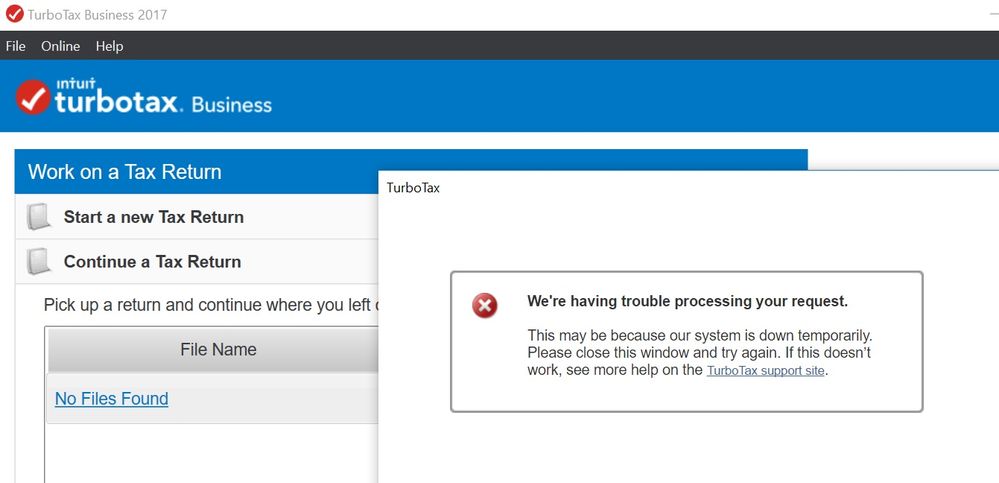
I get this error when trying to load my 2017 State return for review. Any solutions?

- Mark as New
- Bookmark
- Subscribe
- Subscribe to RSS Feed
- Permalink
- Report Inappropriate Content
Get your taxes done using TurboTax
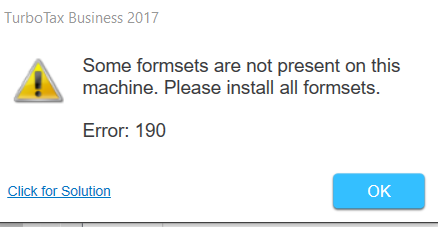
I'm trying to amend my 2017 return and i get this message.
Suggestions?
Thanks
- Mark as New
- Bookmark
- Subscribe
- Subscribe to RSS Feed
- Permalink
- Report Inappropriate Content
Get your taxes done using TurboTax

- Mark as New
- Bookmark
- Subscribe
- Subscribe to RSS Feed
- Permalink
- Report Inappropriate Content
Get your taxes done using TurboTax
I am getting this message on TurboTax 2017 like other individuals for a TurboTax program and it is asking to pay for a State Filing for $44.99. I already filed and completed taxes but reinstalled on new computer and will not open files but asking for above. Please help on how to fix so can open files. TurboTax 2018 was re installed with no issues.

- Mark as New
- Bookmark
- Subscribe
- Subscribe to RSS Feed
- Permalink
- Report Inappropriate Content
Get your taxes done using TurboTax
After you get the program installed the first thing to do before you open your tax return is to update the program and install any state programs you had. Then open your file. So you first might need to start a fake return to be able to download the state program (go to FILE - NEW TAX RETURN)
Then go to FILE -Open and find your return.
See error 190
https://ttlc.intuit.com/questions/2586090-error-190-when-opening-file-in-turbotax-desktop
Try Accessing your state downloads here
https://shop.turbotax.intuit.com/commerce/account/secure/login.jsp?pagecontext=download

- Mark as New
- Bookmark
- Subscribe
- Subscribe to RSS Feed
- Permalink
- Report Inappropriate Content
Get your taxes done using TurboTax
I am also having the same error. When I look in my state tax downloads I see that I have downloaded it previously, but I don't see any actions available on that page to address the issue.
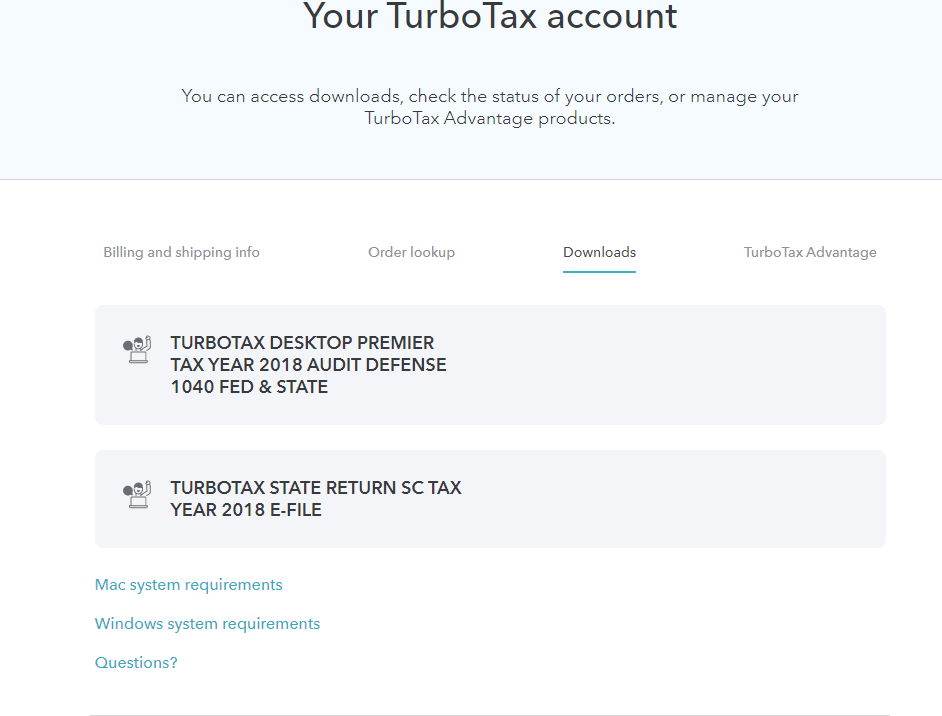
now what???
- Mark as New
- Bookmark
- Subscribe
- Subscribe to RSS Feed
- Permalink
- Report Inappropriate Content
Get your taxes done using TurboTax
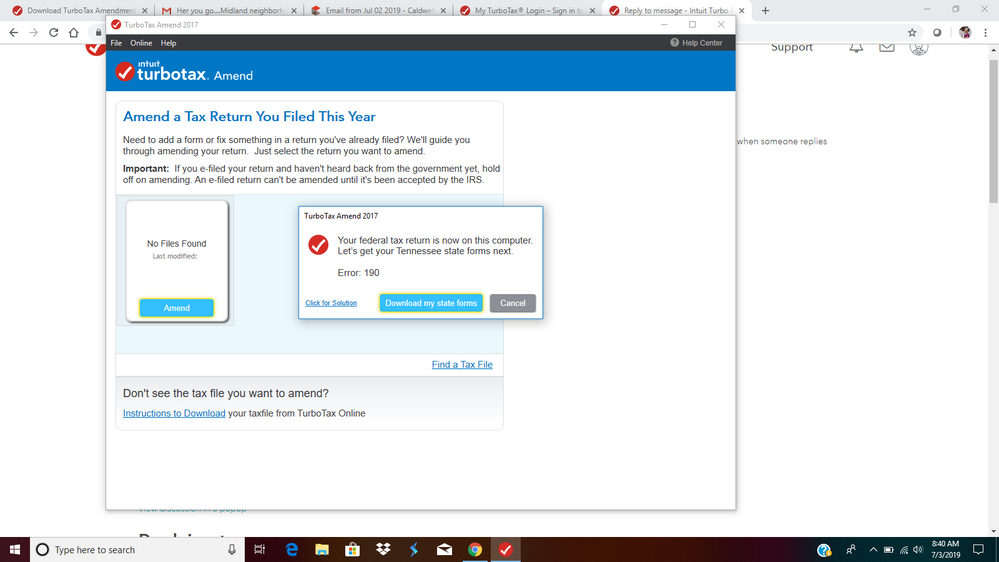
I'm getting the same error when I try to amend my 2017 taxes. I have all ready downloaded my tax file and NC state taxes. Please help.

- Mark as New
- Bookmark
- Subscribe
- Subscribe to RSS Feed
- Permalink
- Report Inappropriate Content
Get your taxes done using TurboTax
Contact TurboTax support and speak directly with a TurboTax support agent concerning this situation. See this TurboTax support FAQ for a contact link and hours of operation -https://ttlc.intuit.com/questions/1899263-what-is-the-turbotax-phone-number

- Mark as New
- Bookmark
- Subscribe
- Subscribe to RSS Feed
- Permalink
- Report Inappropriate Content
Get your taxes done using TurboTax
Message"Your fed return is now on this computer. Lets get your state forms next,"
When I download the state (CA) it comes back to the same message and won't start
my return. 2019 TT Deluxe

- Mark as New
- Bookmark
- Subscribe
- Subscribe to RSS Feed
- Permalink
- Report Inappropriate Content
Get your taxes done using TurboTax
You need to double click on the state download program file while your Turbo Tax program is not up and running and it should boot up the whole TurboTax program with the state program in it.
**Mark the post that answers your question by clicking on "Mark as Best Answer"
- Mark as New
- Bookmark
- Subscribe
- Subscribe to RSS Feed
- Permalink
- Report Inappropriate Content
Get your taxes done using TurboTax
how were you able get around Error 190. Am getting the same error.
