

- Mark as New
- Bookmark
- Subscribe
- Subscribe to RSS Feed
- Permalink
- Report Inappropriate Content
Self employed
Royalties can be entered directly without entering your 1099-MISC. First delete this form using the instructions below for TurboTax Desktop.
You'll need to delete Form 1099-MISC.
- If you're using TurboTax Desktop software and need to delete a form, click here.
Follow the instructions below to enter your royalty income.
- Next Open your TurboTax Desktop return.
- Search (upper right) > type royalties > Click the Jump to.. link
- Select Yes - Income from Rentals or Royalty Property You Own > Continue on the next screen
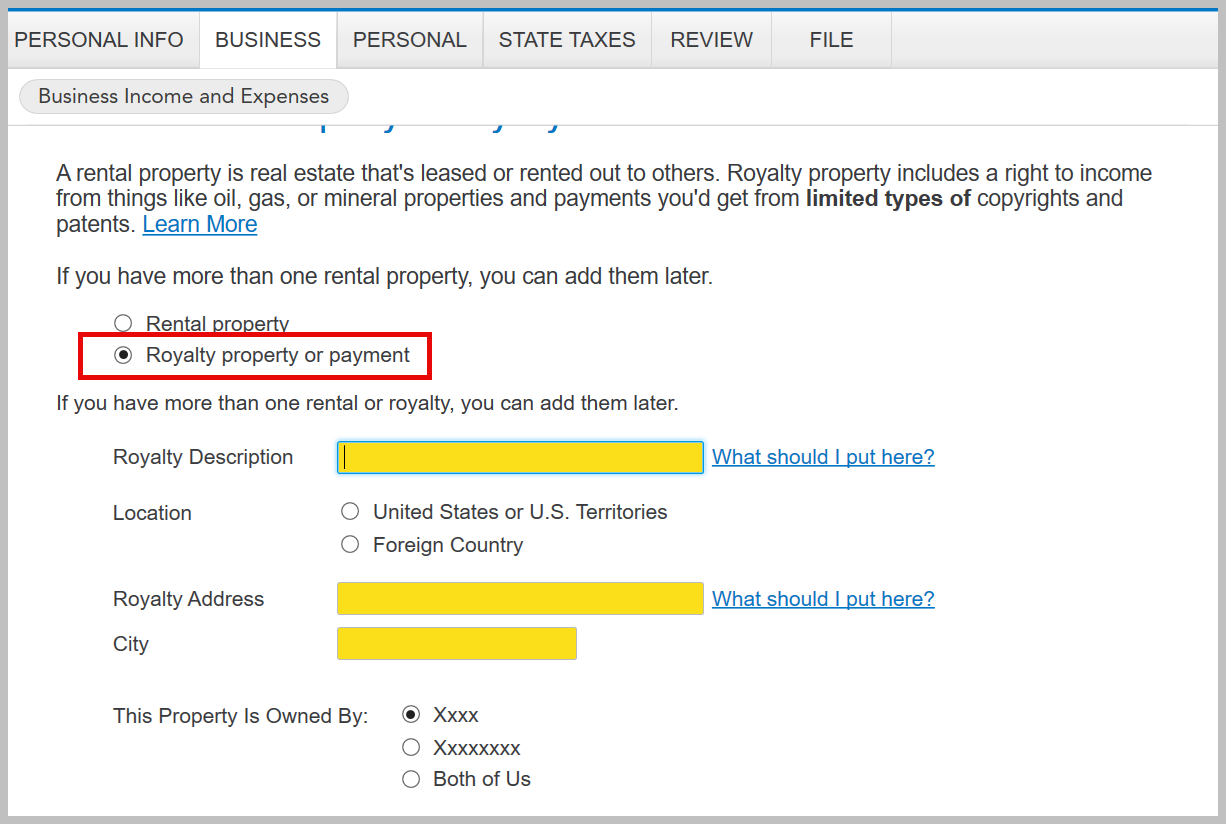
- Start or Add another Rental or Royalty > Select 'Royalty Property or payment' > Enter the Royalty Description, Address and City
- Continue to answer the questions until you complete your royalty property
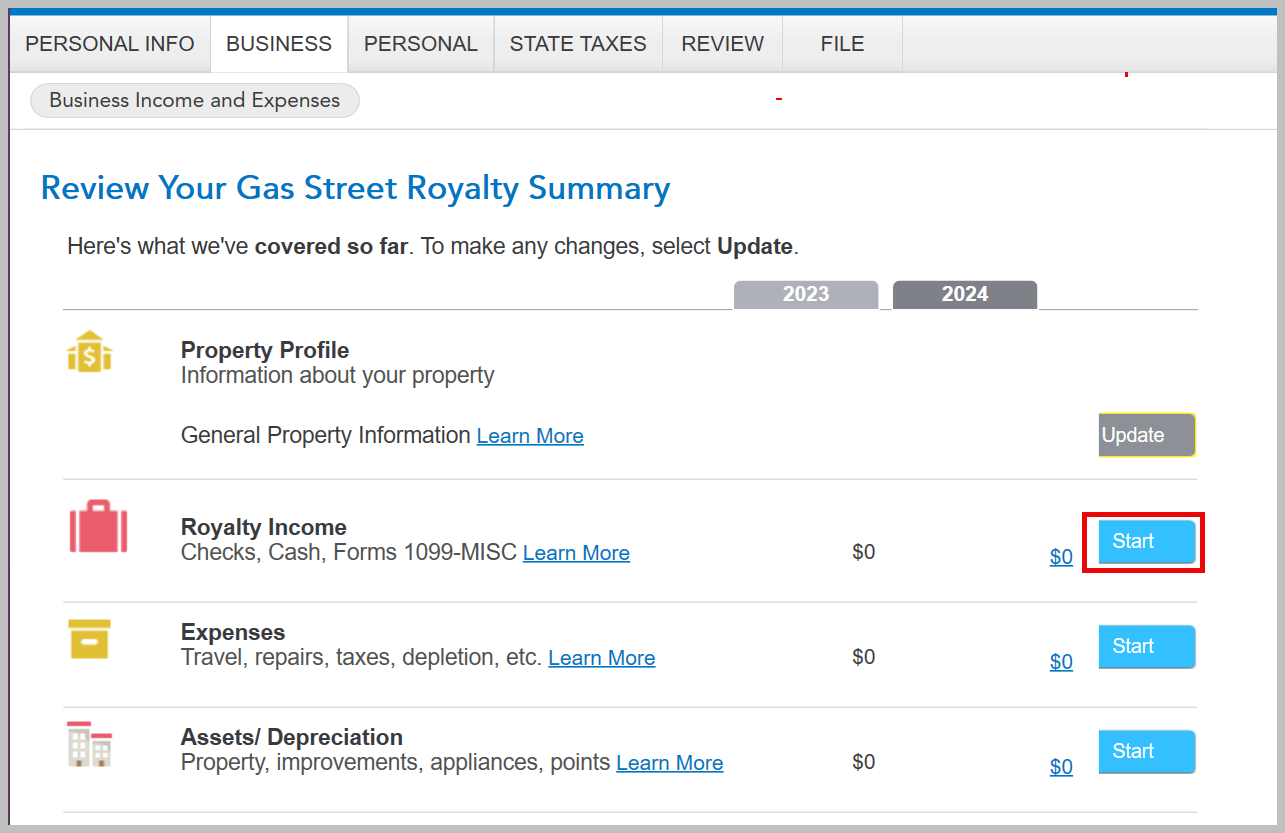
- When you come back to the screen 'Review Your___ Royalty Summary' select Royalty Income
- Select any expenses and complete your entry for Royalty Property
Depending on the type of royalties you may have depletion expenses.
[Edited: 02/12/2025 | 3:41 PM PST]
**Say "Thanks" by clicking the thumb icon in a post
**Mark the post that answers your question by clicking on "Mark as Best Answer"
**Mark the post that answers your question by clicking on "Mark as Best Answer"
February 12, 2025
3:39 PM
