

- Mark as New
- Bookmark
- Subscribe
- Subscribe to RSS Feed
- Permalink
- Report Inappropriate Content
Self employed
In TurboTax Online, self-employment activity expenses are reported in the Premium version.
To report expenses under Self-employment income and expenses, follow these directions.
- Down the left side of the screen, click Federal.
- Down the left side of the screen, click Wages & Income.
- You may need to click Add more income.
- Scroll down to Self-employment click on the dropdown menu.
- Click Start/Revisit to the right of Self-employment income and expenses.
- At the screen Your 2023 self-employed work summary, click Edit to the right of the self-employment activity.
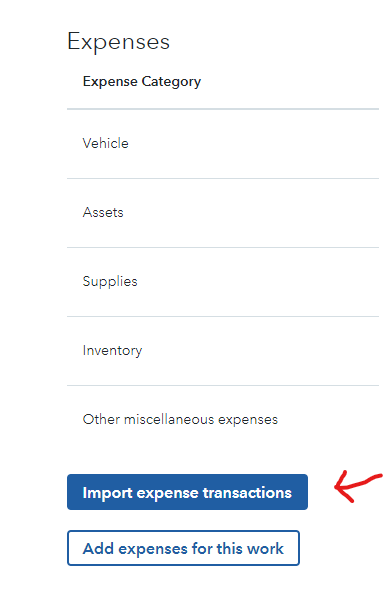
- At the next screen, click either Import expense transactions or Add expenses for this work.
**Say "Thanks" by clicking the thumb icon in a post
**Mark the post that answers your question by clicking on "Mark as Best Answer"
**Mark the post that answers your question by clicking on "Mark as Best Answer"
January 24, 2024
9:47 AM
