

- Mark as New
- Bookmark
- Subscribe
- Subscribe to RSS Feed
- Permalink
- Report Inappropriate Content
Retirement tax questions
Please make sure you have entered your Form CSA-1099-R completely with state information:
- Login to your TurboTax Account
- Click on the "Search" on the top right and type “1099-R”
- Click on “Jump to 1099-R”
- On the "Who gave you a 1099-R?" screen select "Office of Personnel Management (CSA 1099-R) For U.S. Government Civil Service retiree annuity"
- Enter all information (verify state is entered)
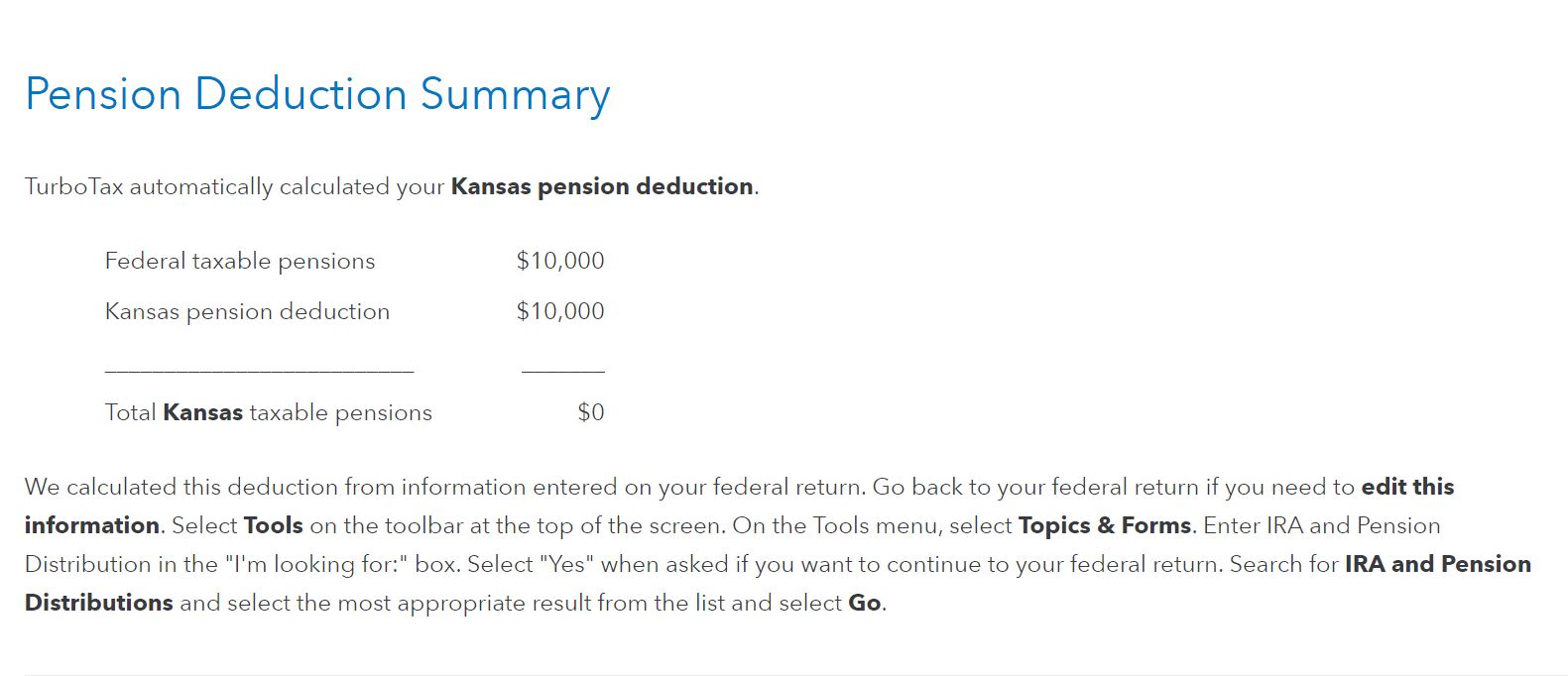
When you go through the Kansas state interview you will see that TurboTax automatically calculated your Kansas pension deduction on the "Pension Deduction Summary" screen.
**Say "Thanks" by clicking the thumb icon in a post
**Mark the post that answers your question by clicking on "Mark as Best Answer"
**Mark the post that answers your question by clicking on "Mark as Best Answer"
February 13, 2022
11:59 AM
