

- Mark as New
- Bookmark
- Subscribe
- Subscribe to RSS Feed
- Permalink
- Report Inappropriate Content
Investors & landlords
You will be able to add the Passive Activity Losses in the Forms mode in TurboTax Desktop.
1. Search in forms for Schedule E Wks for the rental property
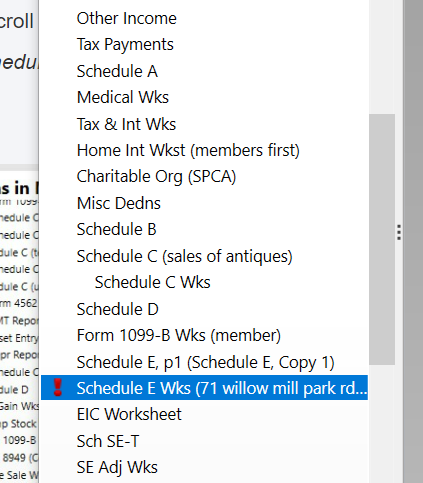
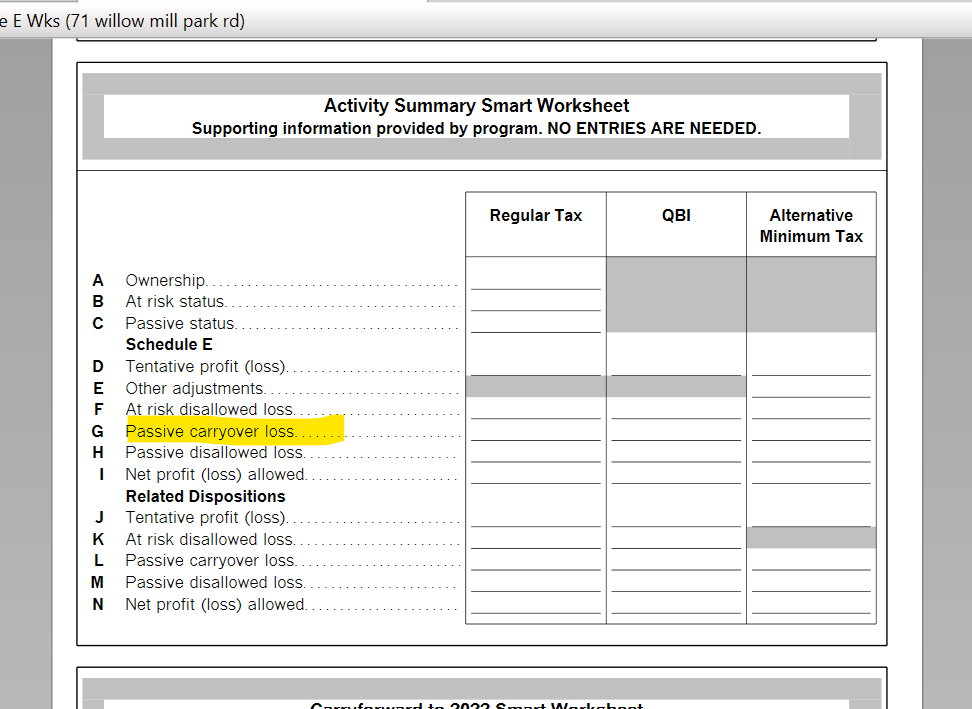
2. Scroll down the worksheet until you get to Carryovers to the 2021 Smart Worksheet. Enter your passive activity losses on line G, Schedule E Suspended Loss. Be sure to enter the passive activity loss as a negative amount.
3. Click on "Step-by-Step" in the upper right-hand corner to return to the program.
**Say "Thanks" by clicking the thumb icon in a post
**Mark the post that answers your question by clicking on "Mark as Best Answer"
**Mark the post that answers your question by clicking on "Mark as Best Answer"
February 27, 2022
6:26 AM
