

- Mark as New
- Bookmark
- Subscribe
- Subscribe to RSS Feed
- Permalink
- Report Inappropriate Content
Education
You can treat and enter it as your fellowship fund on the "Scholarship screen" under the Education section. If you have received a Form 1098-T, you would enter the information like this:
(Since room and board is not considered as a qualified education expense, your income will be taxable)
In TurboTax online,
- Sign in to your account, select Pick up where you left off
- At the right upper corner, in the search box, type in "1098t" and Enter
- Select Jump to 1098t
- On the screen, Now Let's gather XYZ's Additional Education Expenses
- Follow prompts
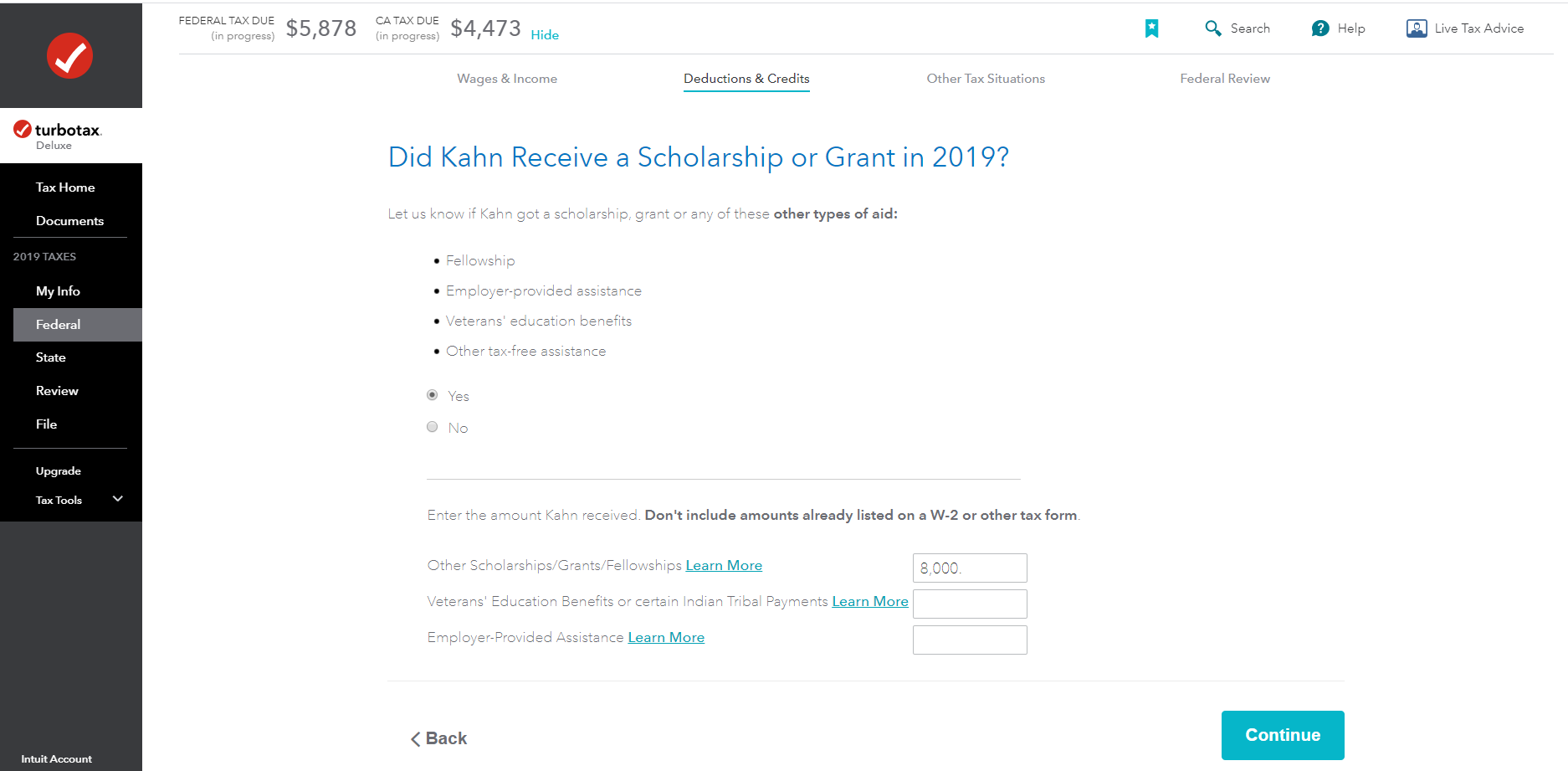
- On-screen, Did student Receive a Scholarship or Grant in 2019?, select Yes
- On-screen, Did student pay for Room and Board with a Scholarship or Grant? select Yes. See the images below.
- Next screen, Your Education Expenses Summary, select Edit
- Next screen Here's Your Education Summary, under Tuition, select Edit to enter tuition information

**Say "Thanks" by clicking the thumb icon in a post
**Mark the post that answers your question by clicking on "Mark as Best Answer"
**Mark the post that answers your question by clicking on "Mark as Best Answer"
March 27, 2020
8:31 AM
