

- Mark as New
- Bookmark
- Subscribe
- Subscribe to RSS Feed
- Permalink
- Report Inappropriate Content
Business & farm
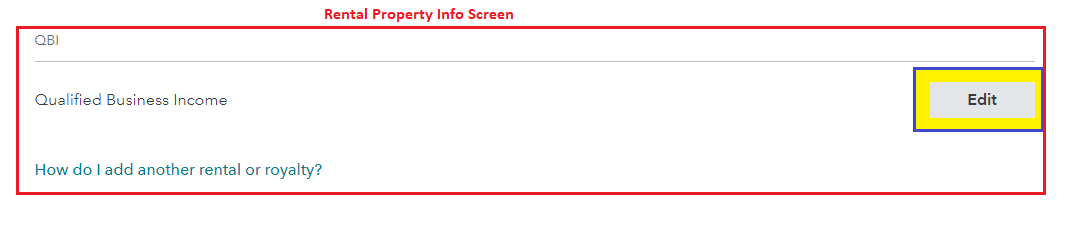
There step that may be missed is that you must select Edit beside each property, then scroll to the bottom of the page to click Edit beside Qualified Business Income. This will allow you to answer the questions again.
- You can also reach this section by using the Search (upper right) > Type qualified business income deduction > Press enter >
- Click the Jump to... link > on the landing page click the business or rental listed > then you must again Edit beside each property
- Scroll to the bottom of the Rental Property Info Screen > Edit beside Qualified Business Income > Follow the screen prompts
- See image below
**Say "Thanks" by clicking the thumb icon in a post
**Mark the post that answers your question by clicking on "Mark as Best Answer"
**Mark the post that answers your question by clicking on "Mark as Best Answer"
March 9, 2021
5:27 AM
