

- Mark as New
- Bookmark
- Subscribe
- Subscribe to RSS Feed
- Permalink
- Report Inappropriate Content
State tax filing
I recommend reviewing your input into the program to ensure you are only reported your income from your 1099-G. You will need to verify this information was not entered as wages.
Log back into TurboTax.
- Go to the Federal section of the program.
- Select Income & Expenses
- Select Job (W-2)
- Select the little trash can icon to the right of the applicable W-2 entry if you do not have any wages to report to remove this from your tax return. This will also remove the error you are receiving.
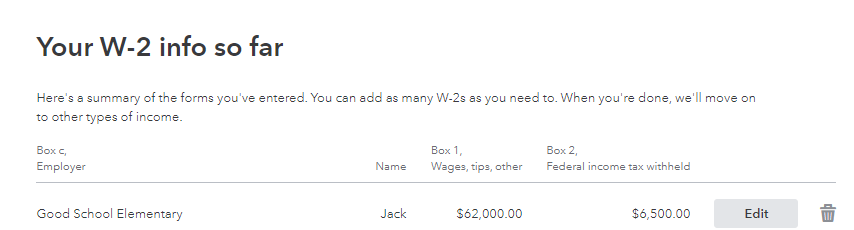
Your 1099-G information should be entered as follows:
- Select Income & Expenses
- Scroll down to All Income and select Unemployment
- Select Unemployment and paid family leave
- You will be able to enter your information from your Form 1099-G
I have also attached a link with more details on how to locate the information you need from your Form 1099-G.
1099-G input for paid family leave or unemployment
Once you make the corrections above, the error should be gone and you will be able to proceed with your tax return.
**Say "Thanks" by clicking the thumb icon in a post
**Mark the post that answers your question by clicking on "Mark as Best Answer"
**Mark the post that answers your question by clicking on "Mark as Best Answer"
April 3, 2021
2:24 PM
