

- Mark as New
- Bookmark
- Subscribe
- Subscribe to RSS Feed
- Permalink
- Report Inappropriate Content
State tax filing
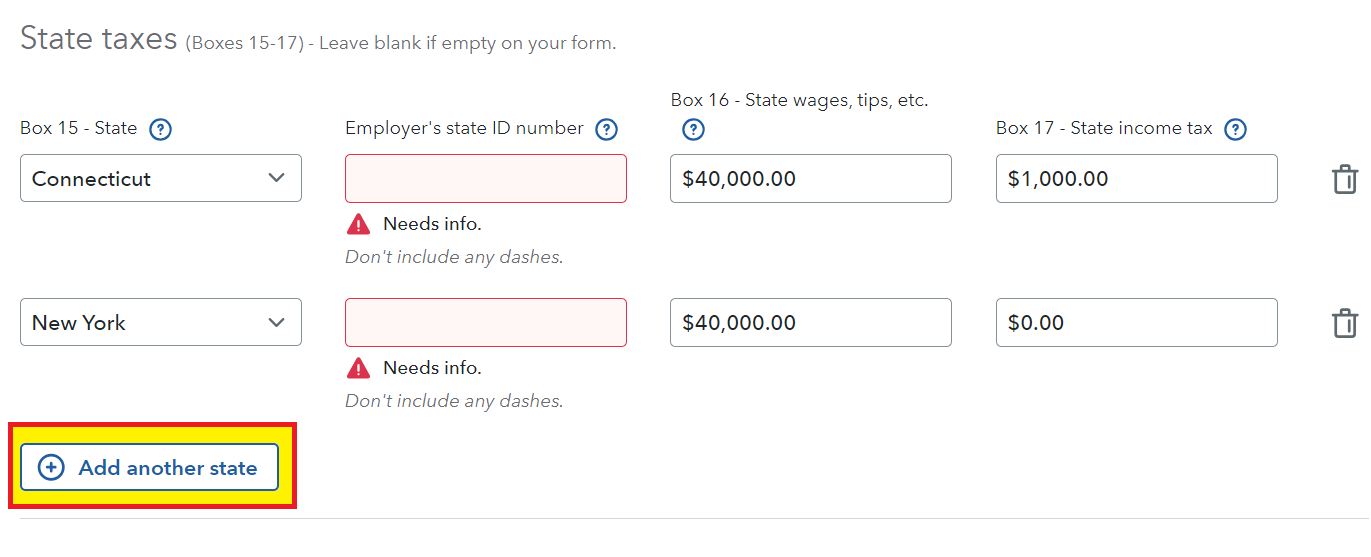
No, do not remove your New Jersey (NJ) wages from your W-2 during entry. Enter the W-2 exactly as it appears with two state wage amounts and the correct withholding for each state by selecting 'Add another state', as shown below.
Generally you should prepare the nonresident return first and then the resident return. This allows TurboTax to send the appropriate credit for taxes paid to another state on the same income. Use the instruction in the link only if after making the changes to the W-2 are not clear to you.
- How do I delete a state return in TurboTax Online? (Only the resident state if necessary)
How it works:
If your resident state tax is a higher rate, then all of the tax paid to the nonresident state will be applied. If the nonresident state tax withholding is at a lower rate than your resident state you will make up the difference when all the calculations are complete. In reverse, if the state withholding on your nonresident state is at a higher rate than your resident state, you do not get the difference refunded unless the withholding was more than you tax liability for that nonresident state. Your resident state will not refund any money they never received. The notes below will explain how it works.
The credit for taxes paid to another state on the same income is used on your resident state because they do not want you to pay taxes twice on the same income. As the resident state all worldwide income must be included.
The credit for tax paid to another state on the same income will be the lesser of:
- the tax liability actually charged by the nonresident state, OR
- the tax liability that would have been charged by your resident state
**Mark the post that answers your question by clicking on "Mark as Best Answer"
