

- Mark as New
- Bookmark
- Subscribe
- Subscribe to RSS Feed
- Permalink
- Report Inappropriate Content
State tax filing
To view your state tax summary in TurboTax Online:
- If you don’t see 2022 TAXES in the left pane, select the dropdown to the right of State Taxes on the Hi, let’s keep working on your taxes! page and then select Let’s get started, Pick up where you left off, or Review/Edit
- Otherwise, in the left pane, select State Taxes
- Scroll down and select the dropdown to the right of Tax Tools
- Select Tools
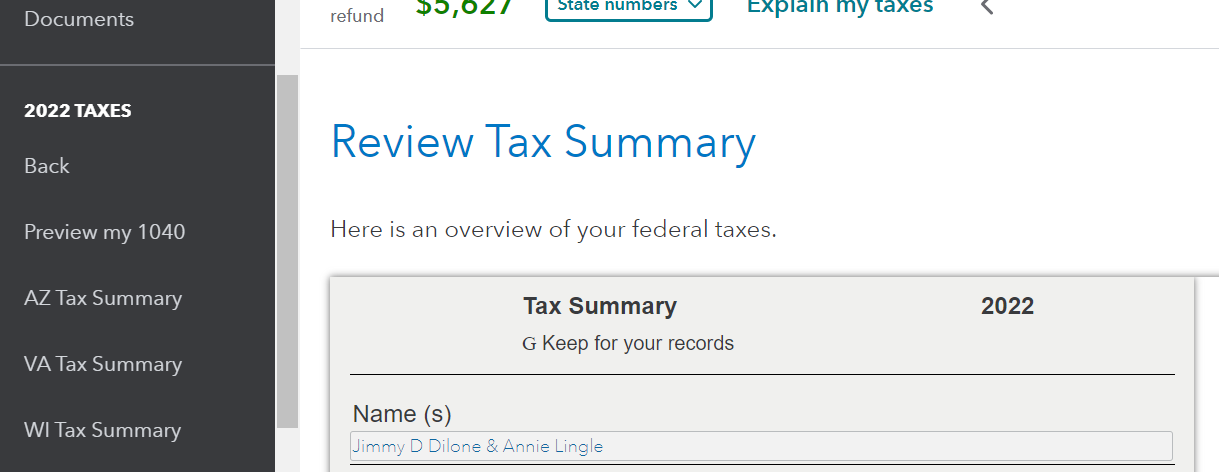
- On the Tools Center popup, select the View Tax Summary link
- Now, in the left pane, you should see your state tax summary
- Select your state's summary
March 23, 2023
3:32 PM
