

- Mark as New
- Bookmark
- Subscribe
- Subscribe to RSS Feed
- Permalink
- Report Inappropriate Content
State tax filing
You can fill out an NYC-1127 on TurboTax but it is available to print only. E-filing the NYC 1127 is not supported. Manually enter the allocation for NYC and print and mail the NYC-1127. The form became available for printing on January 26, 2023.
First, on the Federal side of entries, enter the NYC-1127 withholding in Box 14 and at the drop-down arrow scroll down towards the bottom and click on "other deductible state of local tax". That will include the tax for your Schedule A should you be able to itemize deductions.
When you begin your NYS return, to enter the 1127 information please follow these steps:
- When you get to "Credits and other taxes", click on start or update at the credits and other taxes box.
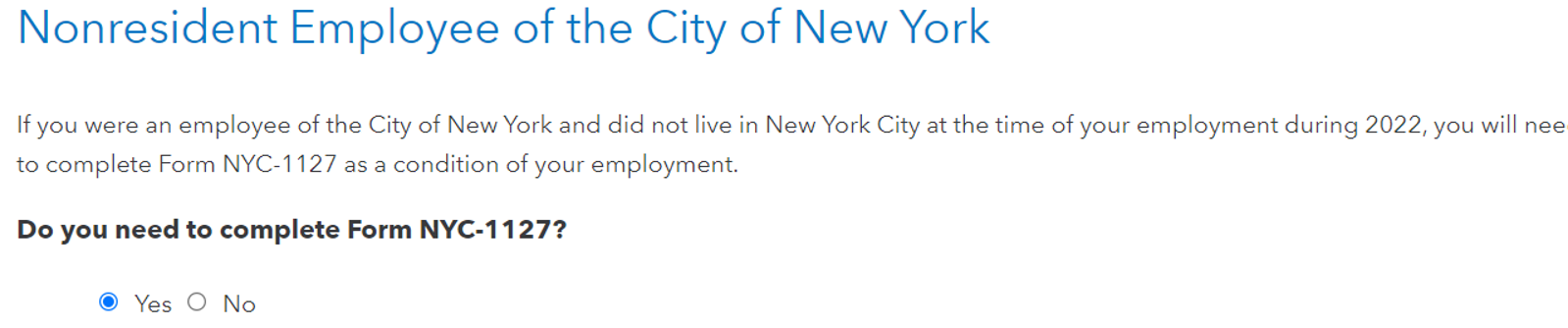
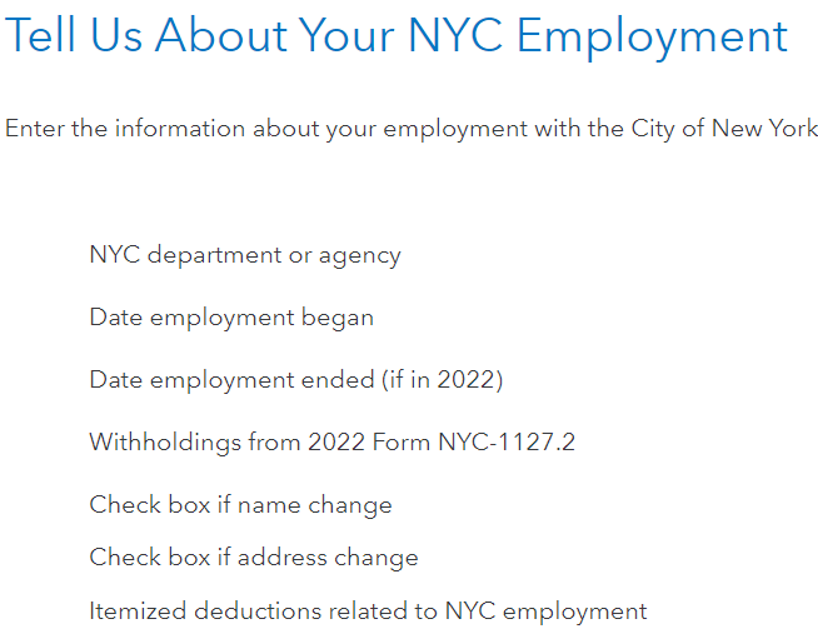
- Scroll down to "New York City and Metro Commuter Taxes" and click on "Start or Update"
- Follow the steps and answer the questions until the 1127 information is entered until you arrive at the last page and note the NYC-1127 address. NYC-1127 cannot be e-filed through TurboTax so must be e-filed directly with the NYC Department of Finance or mailed.
- Click Continue and you will arrive back at the summary Page.
The links below may be of assistance to you.

**Say "Thanks" by clicking the thumb icon in a post
**Mark the post that answers your question by clicking on "Mark as Best Answer"
**Mark the post that answers your question by clicking on "Mark as Best Answer"
February 21, 2023
6:39 AM
