

- Mark as New
- Bookmark
- Subscribe
- Subscribe to RSS Feed
- Permalink
- Report Inappropriate Content
State tax filing
You can also report this in your New York State return and not request a W2. To report:
- Go to federal>state taxes.
- Add New York State
- Navigate through the initial screens verifying the fact that you are reporting this return as a New York state non-resident.
- You will eventually reach a screen asking if you lived in NYS. Here you will say no.
- Then the program will ask the question if you have NY sourced income. You will say yes to this question since it was reported on the W2.
- Then there will be a screen that mentions New York income Allocation. You will say no that your wages were not earned in NYS.
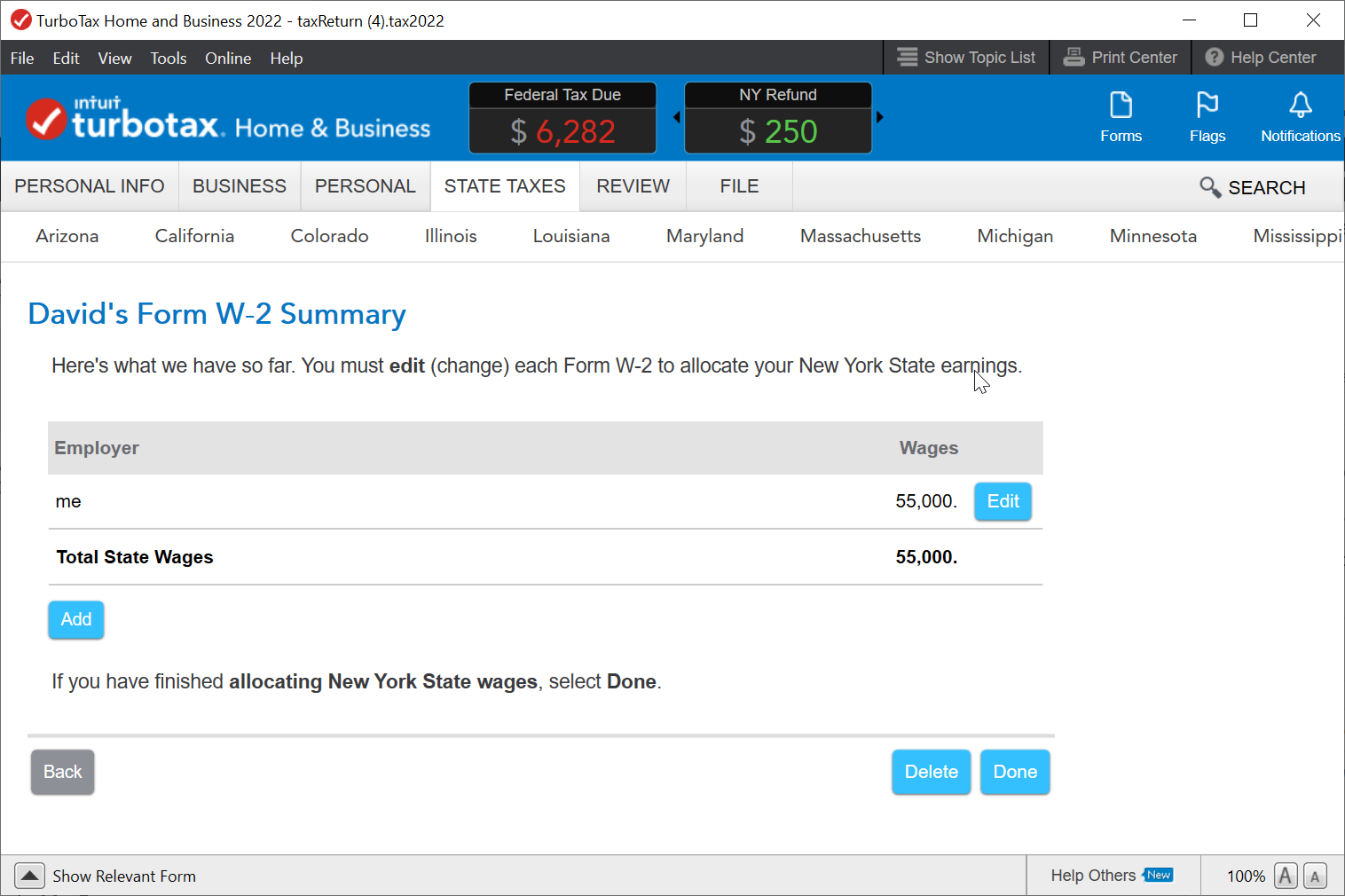
- Then you will reach a W2 summary page. Here select edit next to the W2.
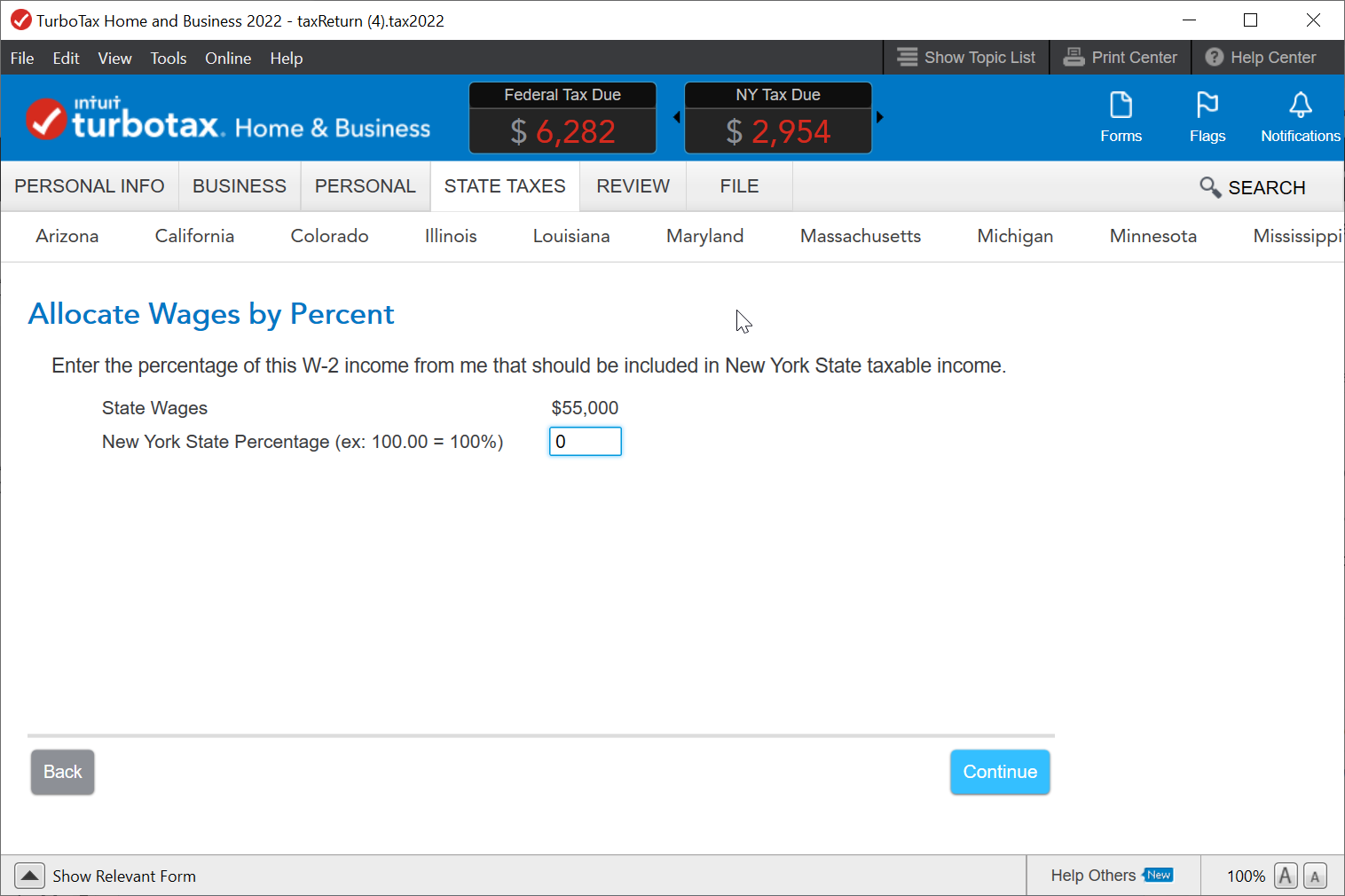
- Next it will ask you how to allocate these wages. indicate you wish to allocate by percentage.
- Next put 0 as the percentage amount. This will allow you to claim all your taxes owed to the state of NY. To illustrate this I have included a before and after screenshot illustrating my example. Notice the change in refund amounts.
**Say "Thanks" by clicking the thumb icon in a post
**Mark the post that answers your question by clicking on "Mark as Best Answer"
**Mark the post that answers your question by clicking on "Mark as Best Answer"
February 2, 2023
5:06 PM
