

- Mark as New
- Bookmark
- Subscribe
- Subscribe to RSS Feed
- Permalink
- Report Inappropriate Content
State tax filing
You will need to make the adjustment to your wages in the state interview section for Pennsylvania to reflect none of the wages were earned there.
- Select State in the black panel on the left hand side of your screen when logged into TurboTax.
- This will take you to a screen titled Let's get your state taxes done right. Click continue on this screen.
- You will see the following screen titled Status of your state returns. Select Edit to the right of Pennsylvania to review your entries.
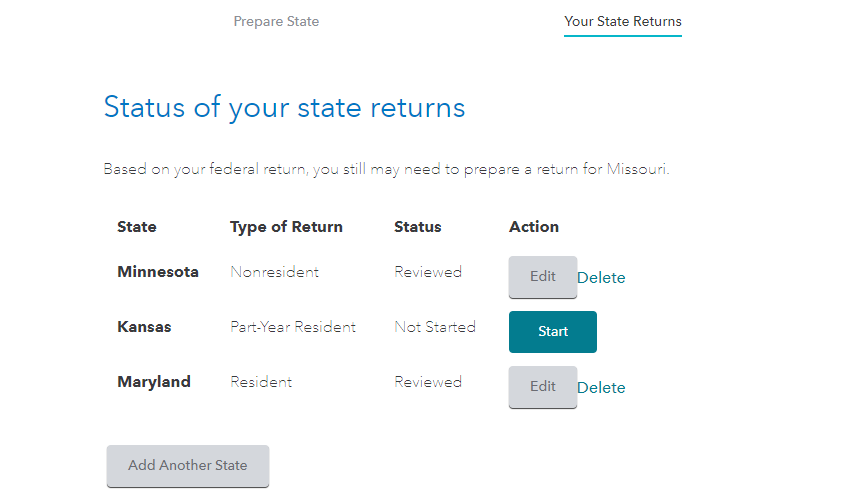
Proceed through the screens until you see the screen titled Compensation Summary.
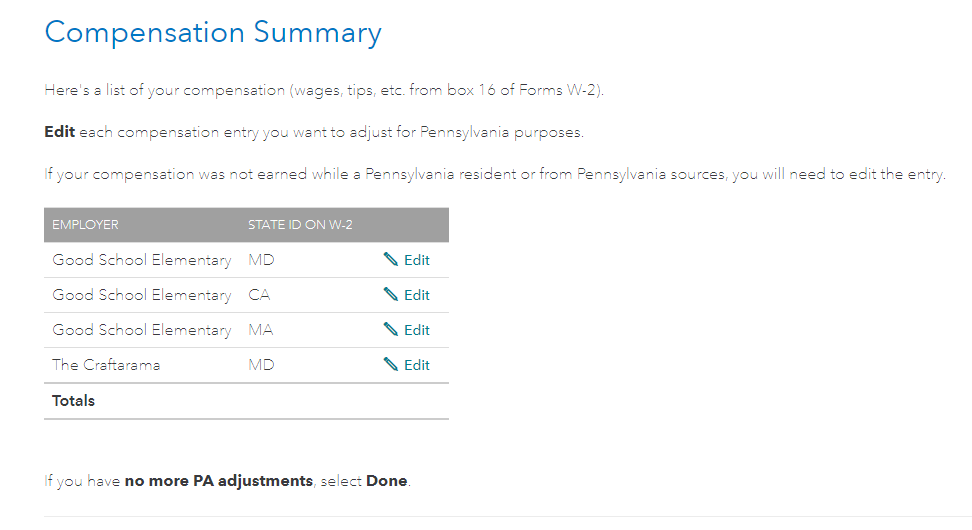
Select Edit to the right of the applicable wages to ensure the wages earned in PA is reflected as being zero.
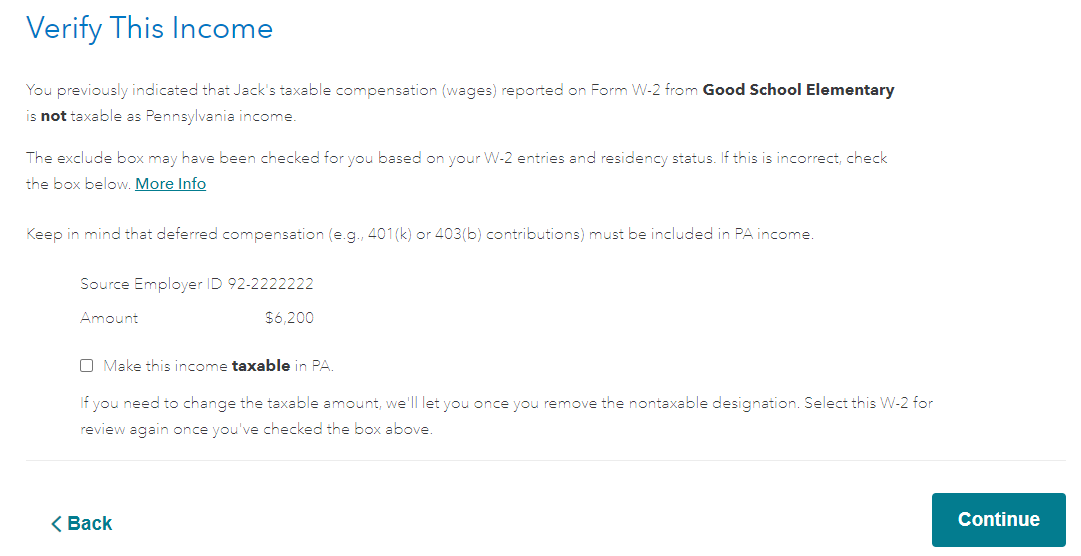
Once you select Edit, you will see a screen that says Verify This Income. The box stating Make this income taxable in PA should not be checked. If it is, uncheck it.
This should remove the income for your PA nonresident return and allow you to get a refund of the income taxes erroneously withheld in PA.
**Say "Thanks" by clicking the thumb icon in a post
**Mark the post that answers your question by clicking on "Mark as Best Answer"
**Mark the post that answers your question by clicking on "Mark as Best Answer"
April 20, 2021
2:52 PM
