

- Mark as New
- Bookmark
- Subscribe
- Subscribe to RSS Feed
- Permalink
- Report Inappropriate Content
After you file
To get your prior year return:
- Sign in to your TurboTax account here if you're haven't already.
- Select Documents from the left menu.
- Use the drop-down menu to choose the tax year you want and then select Download tax PDF.
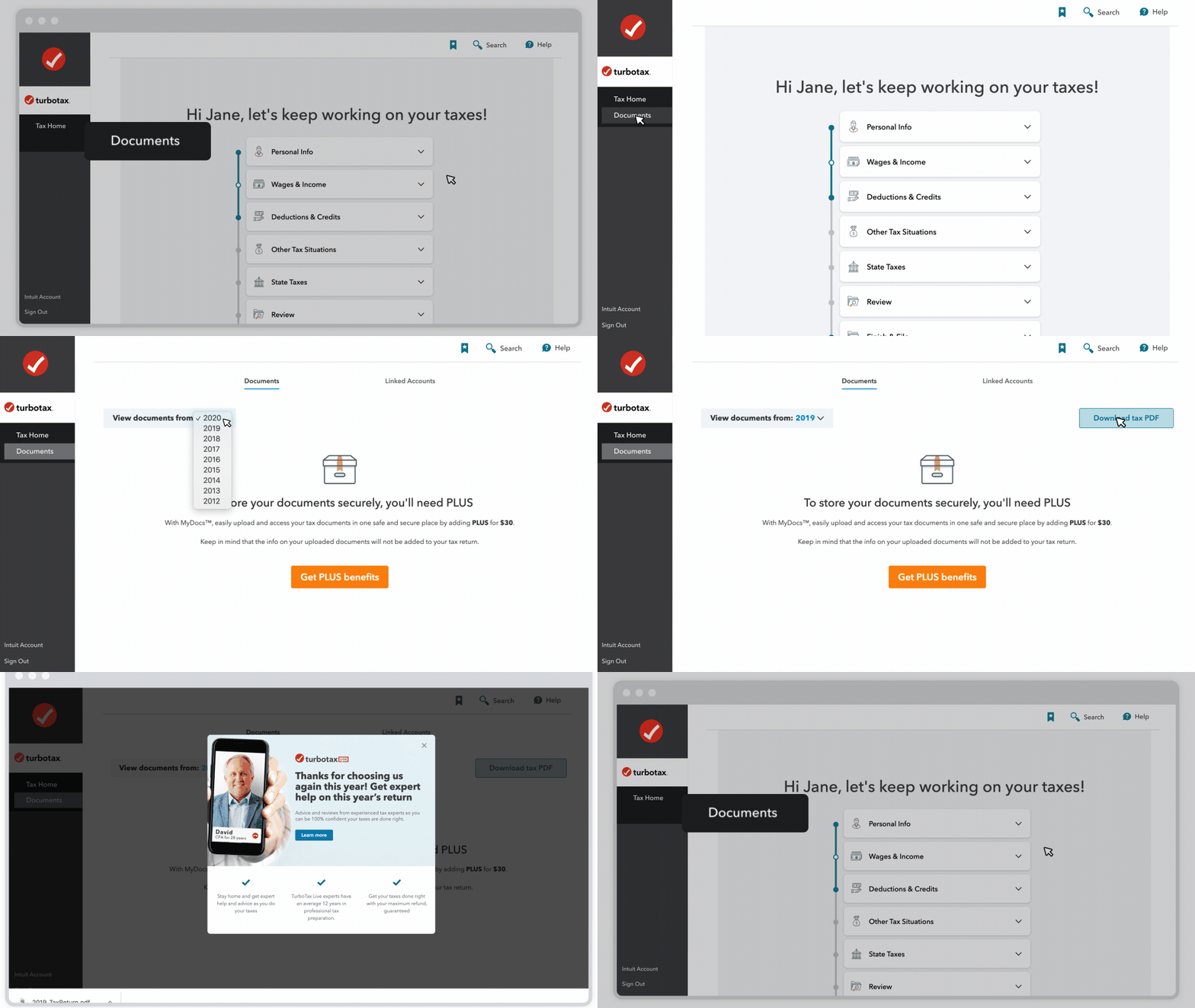
You can also access your prior year returns like this:
- Sign in to your TurboTax account here if you're haven't already.
- Scroll down to the bottom and select Your tax returns & documents.
- Select the year you want, then select Download/print return (PDF).
If the year you're looking for isn't there, it might be in a different account. Go here to find all of your accounts, one of them should have the return you're looking for.
**Say "Thanks" by clicking the thumb icon in a post
**Mark the post that answers your question by clicking on "Mark as Best Answer"
**Mark the post that answers your question by clicking on "Mark as Best Answer"
April 5, 2021
4:21 PM
