

- Mark as New
- Bookmark
- Subscribe
- Subscribe to RSS Feed
- Permalink
- Report Inappropriate Content
Get your taxes done using TurboTax
The most important question being whether you actively participated and then if all of your investment is at risk.
- Open your TurboTax Return
- Search (upper right) for schedule c > Press enter > click the Jump to link in the search results
- Edit beside your business > Edit beside General Info
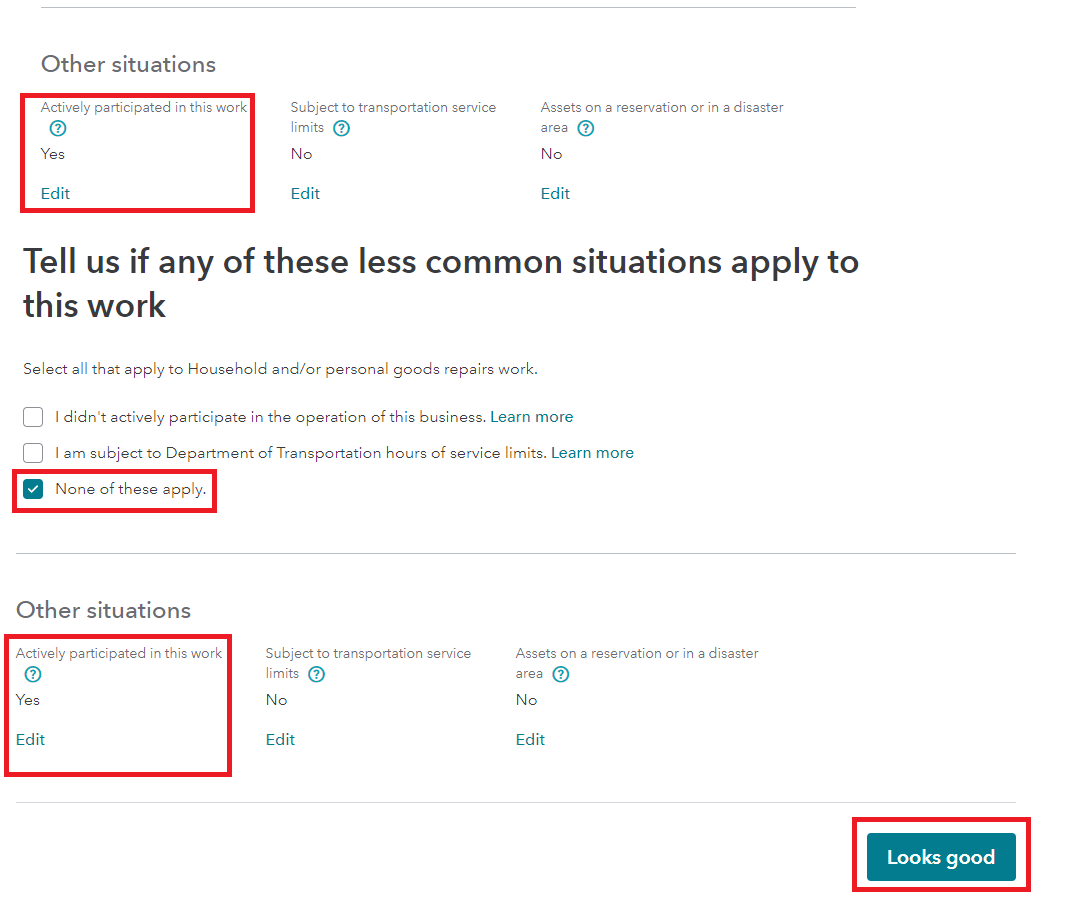
- Scroll to Other Situations > Edit under Actively Participated in this Work to select 'Yes'
- Next on the 'Here's your info for this work' page scroll to Uncommon Situations
- Select Edit next to 'Carryovers, limitations, at risk information, etc.'
- Make sure you do not have a check box selected that is incorrect on this page 'Do you have any of these other business situations?'
- Most importantly the 'at-risk' question- I have money invested in this business that I'm not at risk of losing; that is, certain cash, property, or borrowed amounts that are protected from loss.
- You can use this link to become more familiar with what 'At-Risk' really means: Is my investment at-risk?
- See the image below.
Lastly, it's important to clear cache, cookies and browsing history on a regular basis to remove pieces of information you thought should be gone in the back ground. It helps more often than not.
**Say "Thanks" by clicking the thumb icon in a post
**Mark the post that answers your question by clicking on "Mark as Best Answer"
**Mark the post that answers your question by clicking on "Mark as Best Answer"
March 14, 2022
6:56 AM
