

- Mark as New
- Bookmark
- Subscribe
- Subscribe to RSS Feed
- Permalink
- Report Inappropriate Content
Get your taxes done using TurboTax
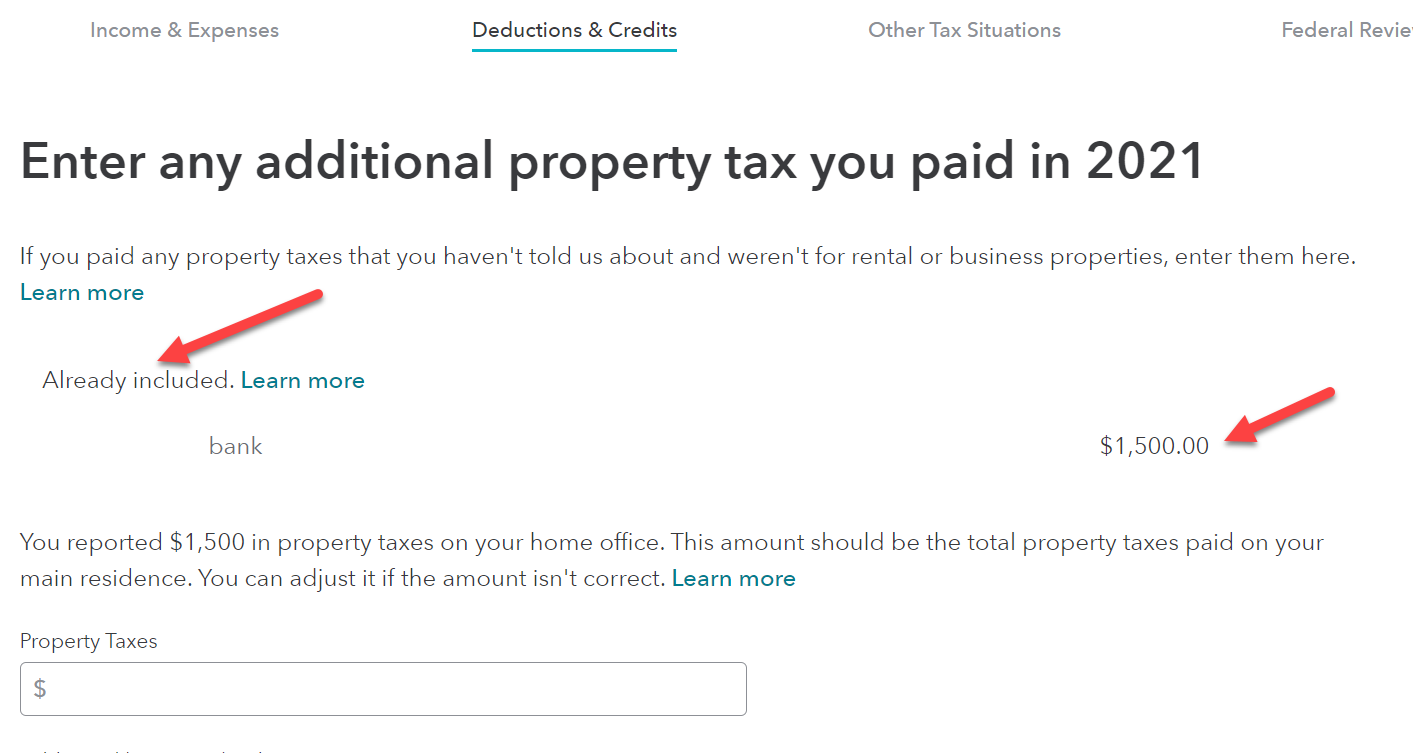
There are multiple places to enter the same information, but it should only be entered once.
If you enter your home office deduction and enter the property taxes there you should not enter it again when you get to the 1098-INT form.
Check here first:
- Select Federal from the left side menu.
- Select Deductions and Credits toward the upper left.
- Expand the list and scroll down to Mortgage Interest and Refinancing (Form 1098)
- Click Edit/Add to the right.
- Click Edit to the right of your 1098 entry.
- Click Continue until you get to the page that says, Let's get the details from your 1098, at the top.
- Below box 5 you will see a box for Property (real estate) taxes.
You can edit this amount here.
If this box is blank, you need to go right to the Property tax section:
- Select Federal from the left side menu.
- Select Deductions and Credits toward the upper left.
- Expand the list and scroll down to Property (Real Estate) Taxes.
- Click Edit to the right.
You can edit the number here if the this the first place you entered it.
**Say "Thanks" by clicking the thumb icon in a post
**Mark the post that answers your question by clicking on "Mark as Best Answer"
**Mark the post that answers your question by clicking on "Mark as Best Answer"
March 10, 2022
3:28 PM
