

- Mark as New
- Bookmark
- Subscribe
- Subscribe to RSS Feed
- Permalink
- Report Inappropriate Content
Get your taxes done using TurboTax
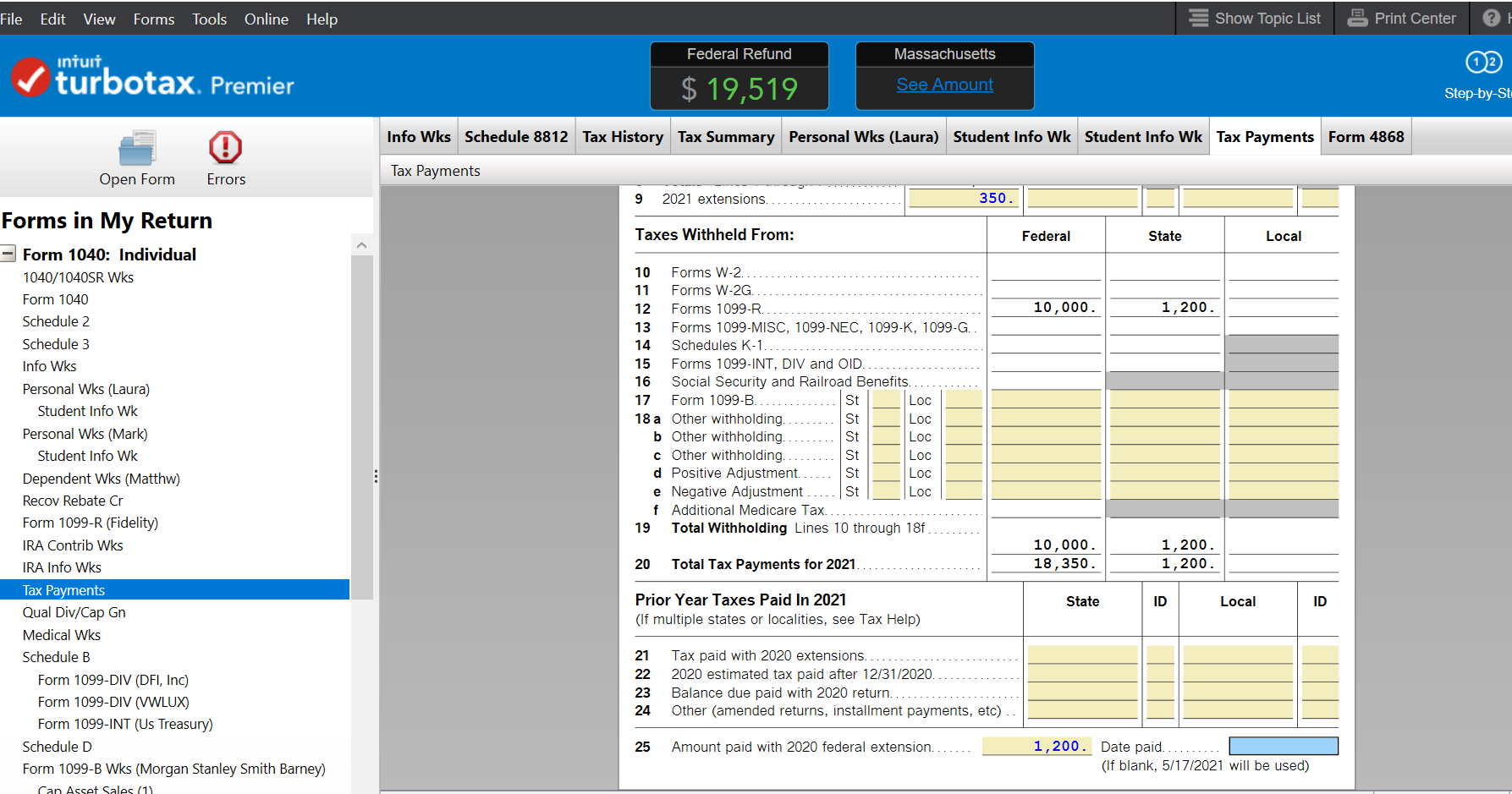
Since you are using the Desktop version of the program, you can check to see if any incorrect information was imported into your tax return in Forms mode.
- Click the white Forms icon toward the upper right corner.
- Find Tax Payments on the list on the left.
- Highlight it, then check the extension information. I would expect this information to show on line 9 or maybe at the bottom, lines 21 through 25. You can edit any of the information that is in the yellow shaded boxes
- Click on Step by Step in the upper right corner to return to the interview.
**Say "Thanks" by clicking the thumb icon in a post
**Mark the post that answers your question by clicking on "Mark as Best Answer"
**Mark the post that answers your question by clicking on "Mark as Best Answer"
March 7, 2022
3:55 PM
