

- Mark as New
- Bookmark
- Subscribe
- Subscribe to RSS Feed
- Permalink
- Report Inappropriate Content
Get your taxes done using TurboTax
With a large number of transactions, you may want to enter a summary in lieu of individual transactions. For assistance entering a large number of stock transactions, please see this TurboTax Help article: How do I enter a large number of stock transactions in TurboTax Online?
In order to take a deduction for your charitable donations if you are taking the standard deduction, there is an extra step to take in addition to entering the figure in charitable donations. Please follow these steps:
- After entering your deductions, you will see a screen telling you which method is right for you -- standard or itemized deduction.
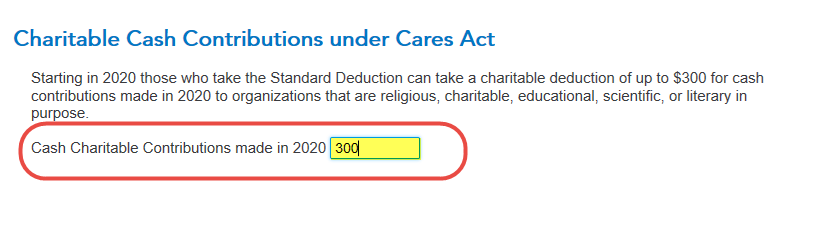
- If you are taking the standard deduction, after that screen you will see a Charitable Cash Contributions under Cares Act. [See screenshot below.] Enter the amount of your charitable contribution in the box (up to $300). Click Continue.
February 24, 2021
1:22 PM
