

- Mark as New
- Bookmark
- Subscribe
- Subscribe to RSS Feed
- Permalink
- Report Inappropriate Content
Get your taxes done using TurboTax
After the 'import successful' message, don't click on either 'Skip Import' or 'Continue'. Click on Wages & Income at the top, 'choose what I work on' and look at the Import Summary.
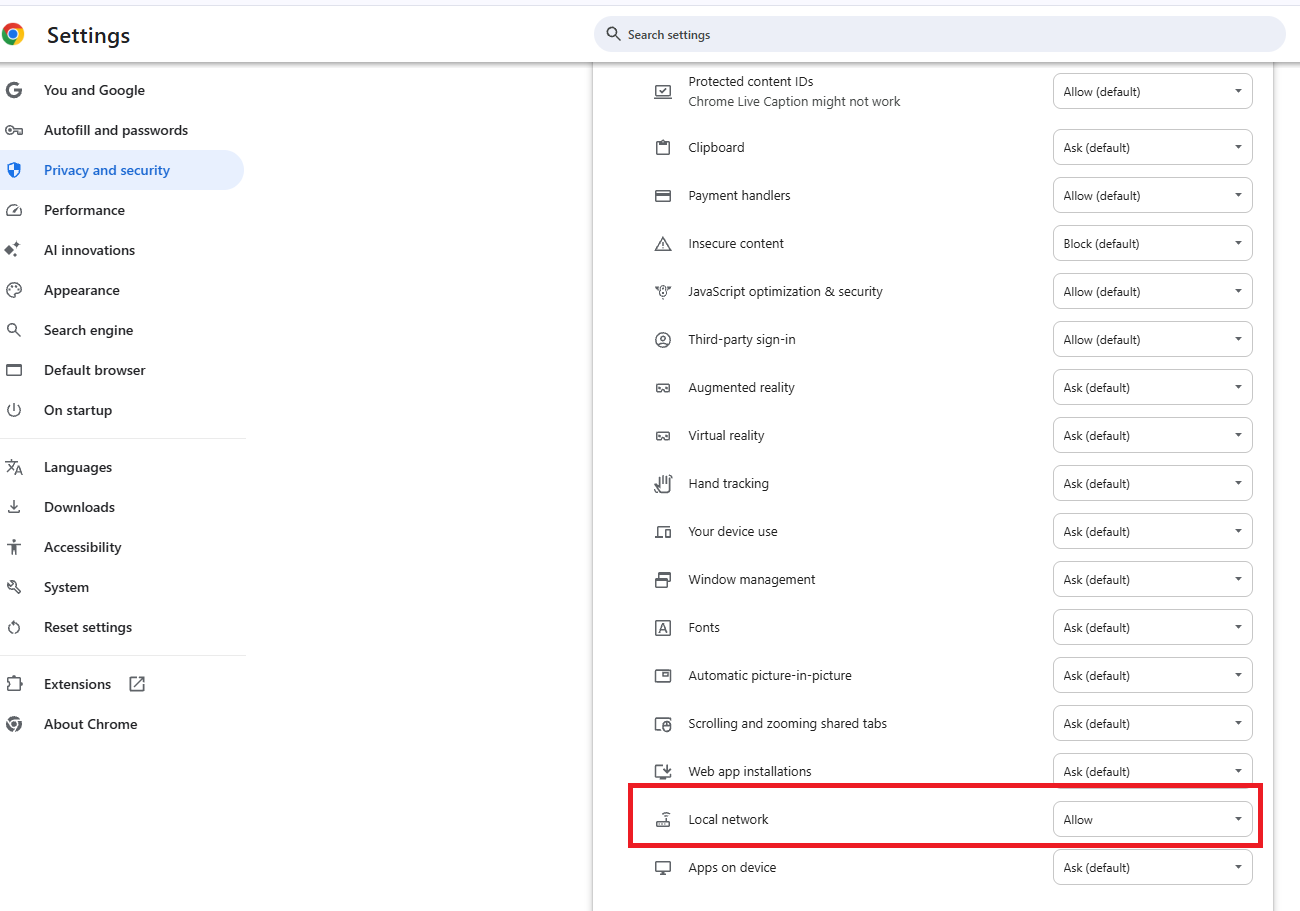
If there are no documents shown, you may have connected to your broker, but nothing was imported. This may be because the import forms are not yet ready, your broker account settings don't allow 'third party access', your anti-virus programs need to be disabled, or your browser settings need to allow local network access.
Be sure to clear your Cache and Cookies between attempts.
**Say "Thanks" by clicking the thumb icon in a post
**Mark the post that answers your question by clicking on "Mark as Best Answer"
**Mark the post that answers your question by clicking on "Mark as Best Answer"
yesterday
