

- Mark as New
- Bookmark
- Subscribe
- Subscribe to RSS Feed
- Permalink
- Report Inappropriate Content
Get your taxes done using TurboTax
Here's How to Delete Forms in TurboTax Online. After deleting Form 8962 and 1095-A, clear your Cache and Cookies.
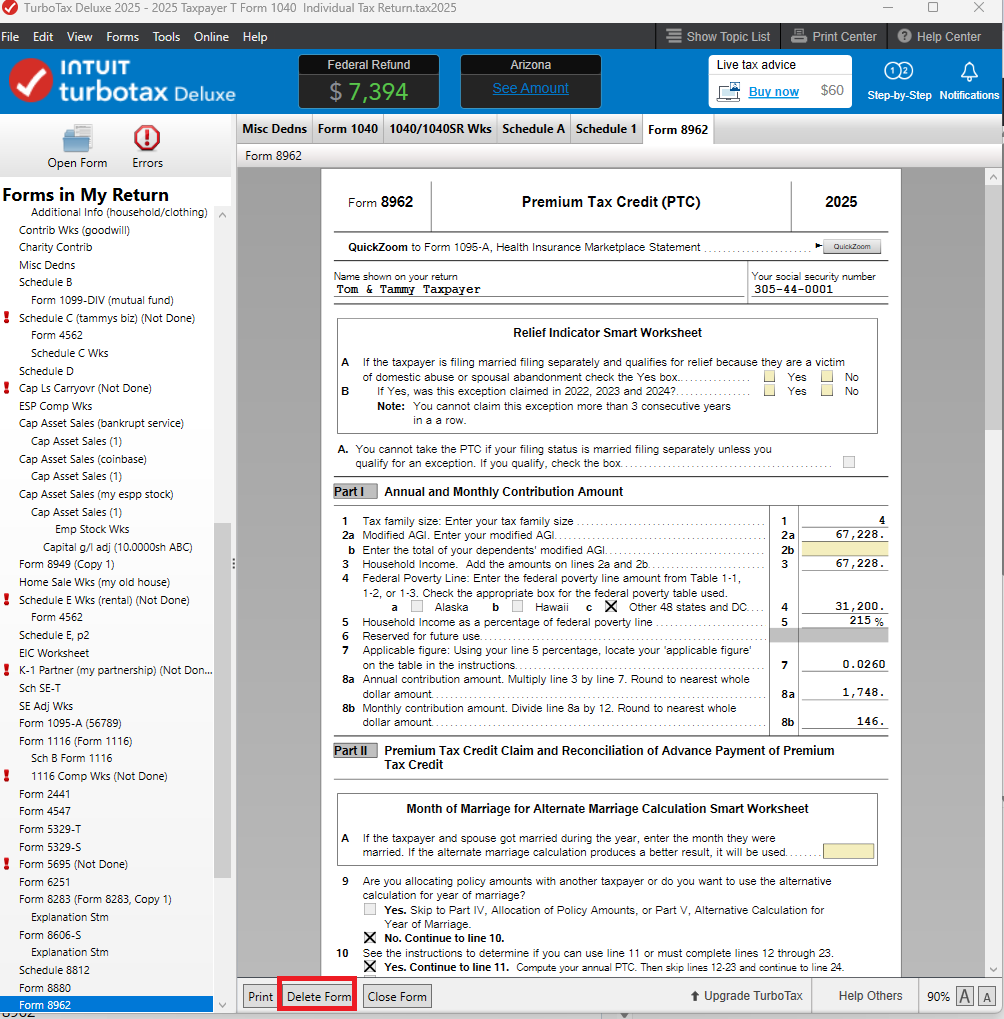
In TurboTax Desktop, go to FORMS at the upper right and 'Open Form', type in '8962'. At the bottom of the form, choose 'Delete Form'. Do the same for '1095-A'.
**Say "Thanks" by clicking the thumb icon in a post
**Mark the post that answers your question by clicking on "Mark as Best Answer"
**Mark the post that answers your question by clicking on "Mark as Best Answer"
February 3, 2026
7:09 PM
