

- Mark as New
- Bookmark
- Subscribe
- Subscribe to RSS Feed
- Permalink
- Report Inappropriate Content
Get your taxes done using TurboTax
As per Xmasbaby0, the extend your tax return feature in TurboTax will be ready soon. Make sure to run all updates to your TurboTax program if you are using TurboTax Desktop.
To get to the input screens in TurboTax for filing an extension, you can:
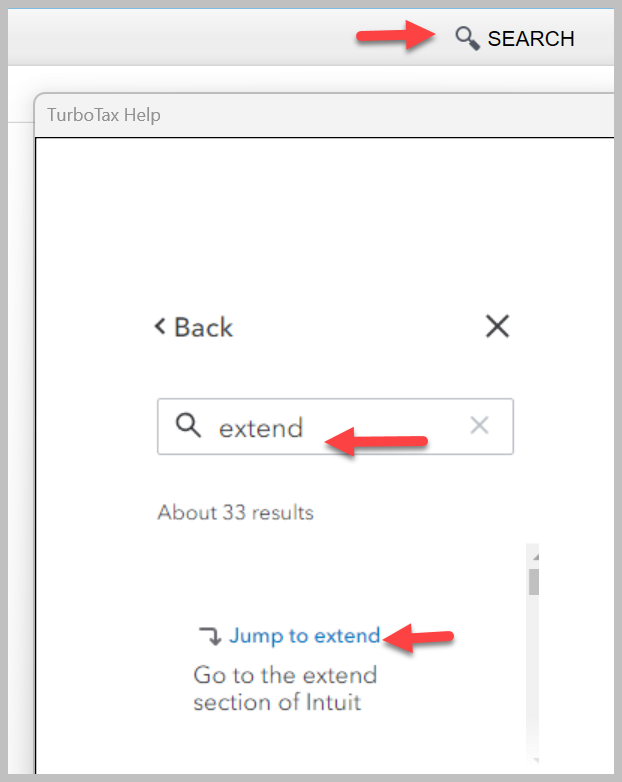
- Click on "Search" at the top right of your TurboTax screen
- Type "extend" in the search box
- Click on the link "Jump to extend"
- Answer all of the follow-up questions regarding your tax extension in TurboTax
To get to the screens in TurboTax for extending your tax return, you can type "extend" in your search bar.
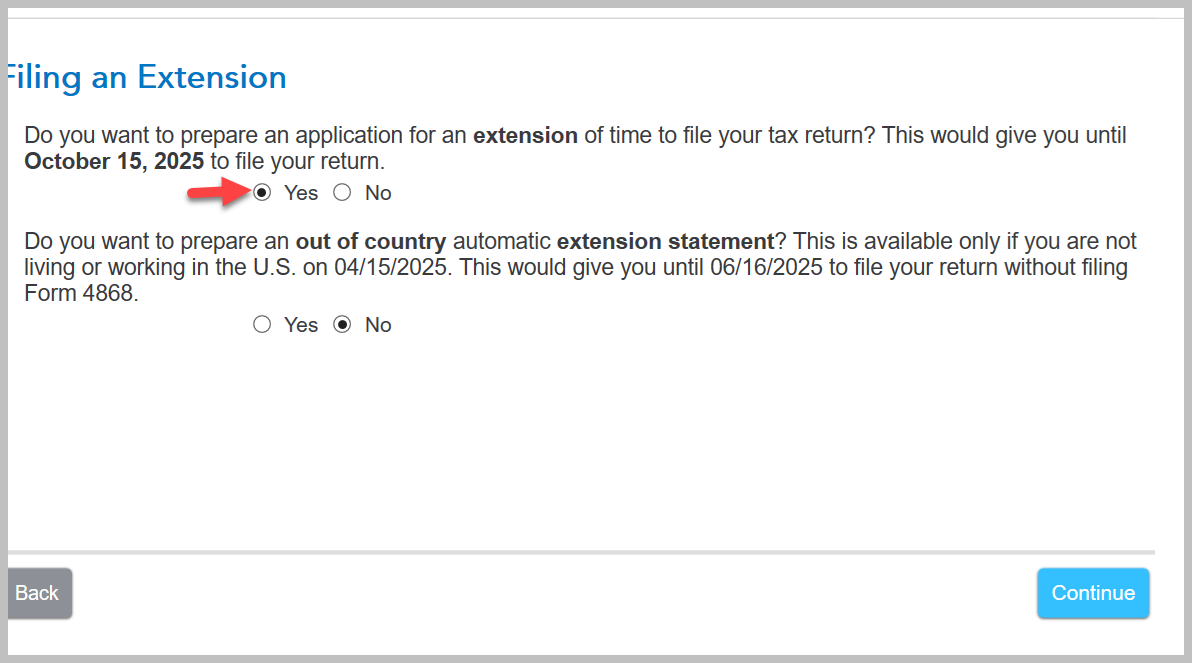
Answer yes to "Do You Want to Apply for an Extension?"

Answer yes to "Do you want to prepare an application for an extension of time to file your tax return?"
Click here for "How to File a Tax Extension: A Step-By-Step Guide to File Your Tax Extension With TurboTax"
Click here for "How do I file an IRS tax extension?"
**Say "Thanks" by clicking the thumb icon in a post
**Mark the post that answers your question by clicking on "Mark as Best Answer"
**Mark the post that answers your question by clicking on "Mark as Best Answer"
February 24, 2025
12:26 PM
