

- Mark as New
- Bookmark
- Subscribe
- Subscribe to RSS Feed
- Permalink
- Report Inappropriate Content
Get your taxes done using TurboTax
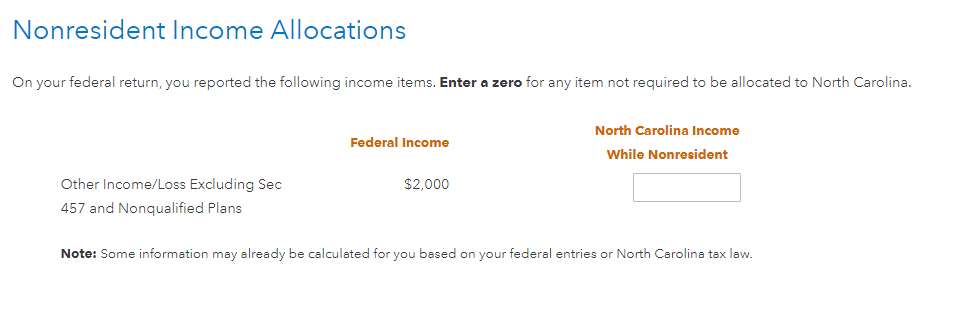
Go back through your NC return and make sure you allocated your gambling winnings to NC. You should come to a screen that asks you to allocate the portion of your federal gambling/other income that belongs to NC.
Did you tell TurboTax in the personal section that you had Other State Income?
With your return open, select My Info in the menu.
- On the Personal info summary screen, scroll down to Other State Income, and select Edit.
- At the Did you make money in any other states? question, answer Yes and make sure your nonresident state(s) are selected from the drop-down.
- Select Continue to return to your Personal info summary.
After you finish your federal return, you'll automatically move to the State tab, where you'll see your nonresident state(s) listed in addition to your resident state.
**Say "Thanks" by clicking the thumb icon in a post
**Mark the post that answers your question by clicking on "Mark as Best Answer"
**Mark the post that answers your question by clicking on "Mark as Best Answer"
February 14, 2024
2:58 PM
