

- Mark as New
- Bookmark
- Subscribe
- Subscribe to RSS Feed
- Permalink
- Report Inappropriate Content
Get your taxes done using TurboTax
To help ensure that you get the military discount, enter your W-2. Make sure that you verify your military rank when prompted in the TurboTax Online Product. When you are ready to file, your discount is applied. You don’t get the discount for TurboTax Live or TurboTax Desktop products.
To verify that you have indicated that you are a member of the U.S. Armed Forces”
- Login to TurboTax Online
- Review your Personal Info by selecting the Edit near the taxpayer who is in the military
- Scroll down and verify if you selected Yes to the question; I am a member or former member of the U.S. Armed Forces:
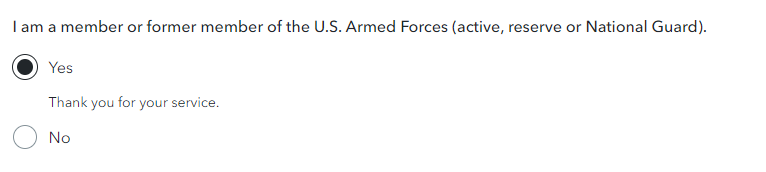 TurboTax will prompt you on the next screens about your military status. Answer the questions and select Continue.
**Say "Thanks" by clicking the thumb icon in a post
**Mark the post that answers your question by clicking on "Mark as Best Answer"
**Mark the post that answers your question by clicking on "Mark as Best Answer"
January 22, 2024
11:43 AM
