

- Mark as New
- Bookmark
- Subscribe
- Subscribe to RSS Feed
- Permalink
- Report Inappropriate Content
Get your taxes done using TurboTax
Your cost basis in the property is generally the amount that you paid for the property (your acquisition cost plus any expenses), including any money you borrowed to buy the place.
- With your return open in TurboTax, search for rentals and then click the "Jump to" link in the search result.
- Answer Yes to the question Did you have any rental or royalty income and expenses?
- When you get to Is this a rental property or royalty? select Rental property and fill out the description, address, and owner.
- When you hit Do any of these situations apply? you'll definitely want to check the Sold box along with any other boxes that may apply.
- Continue following the onscreen prompts to enter info about your rental property. Eventually, you'll get to the Rental Summary screen. Here, you can report the sale in the Sale of Property/Depreciation section, along with any other pertinent info (income, expenses, etc.)
See the screenshot below:
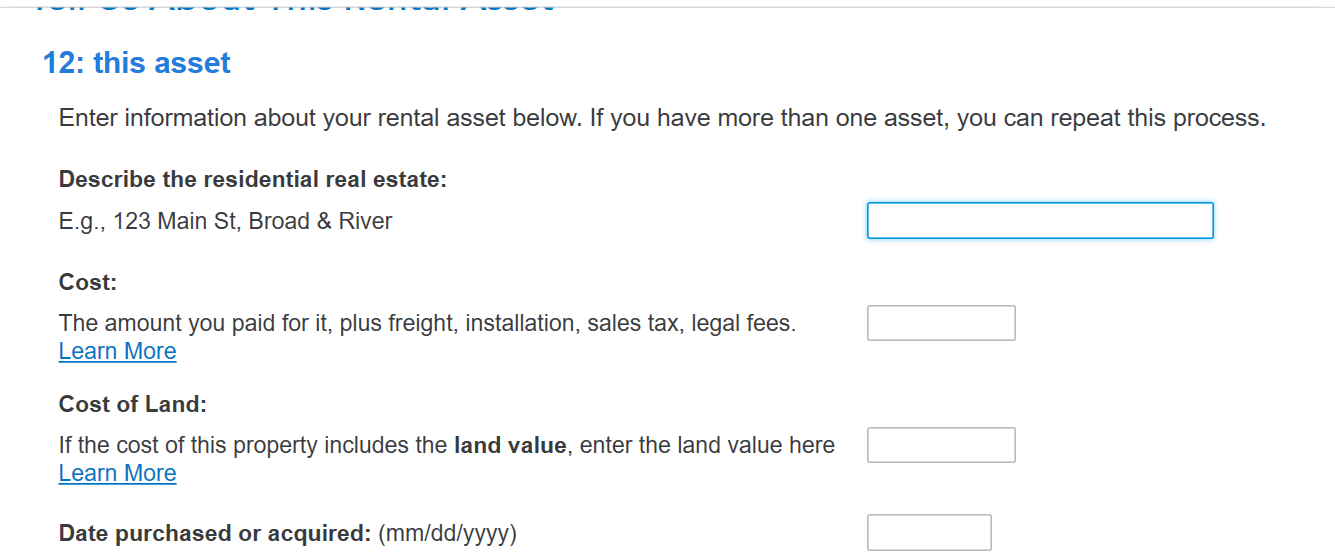
See how to report rental property
Review the link above for more detailed information.
**Say "Thanks" by clicking the thumb icon in a post
**Mark the post that answers your question by clicking on "Mark as Best Answer"
**Mark the post that answers your question by clicking on "Mark as Best Answer"
February 6, 2023
2:04 PM
