
Level 2
March 5, 2026
Question

Continue Button is Missing When Trying to File Amended Returns

  • March 5, 2026
  • 1 reply
  • 0 views

I am trying to Amend my 2025 return and I am stuck in the last part after finishing amending my federal and state return. After entering step 2 refund info (banking information) it will not display the continue button on step 3. I have tried contacting support and they were not able to resolve the issue.
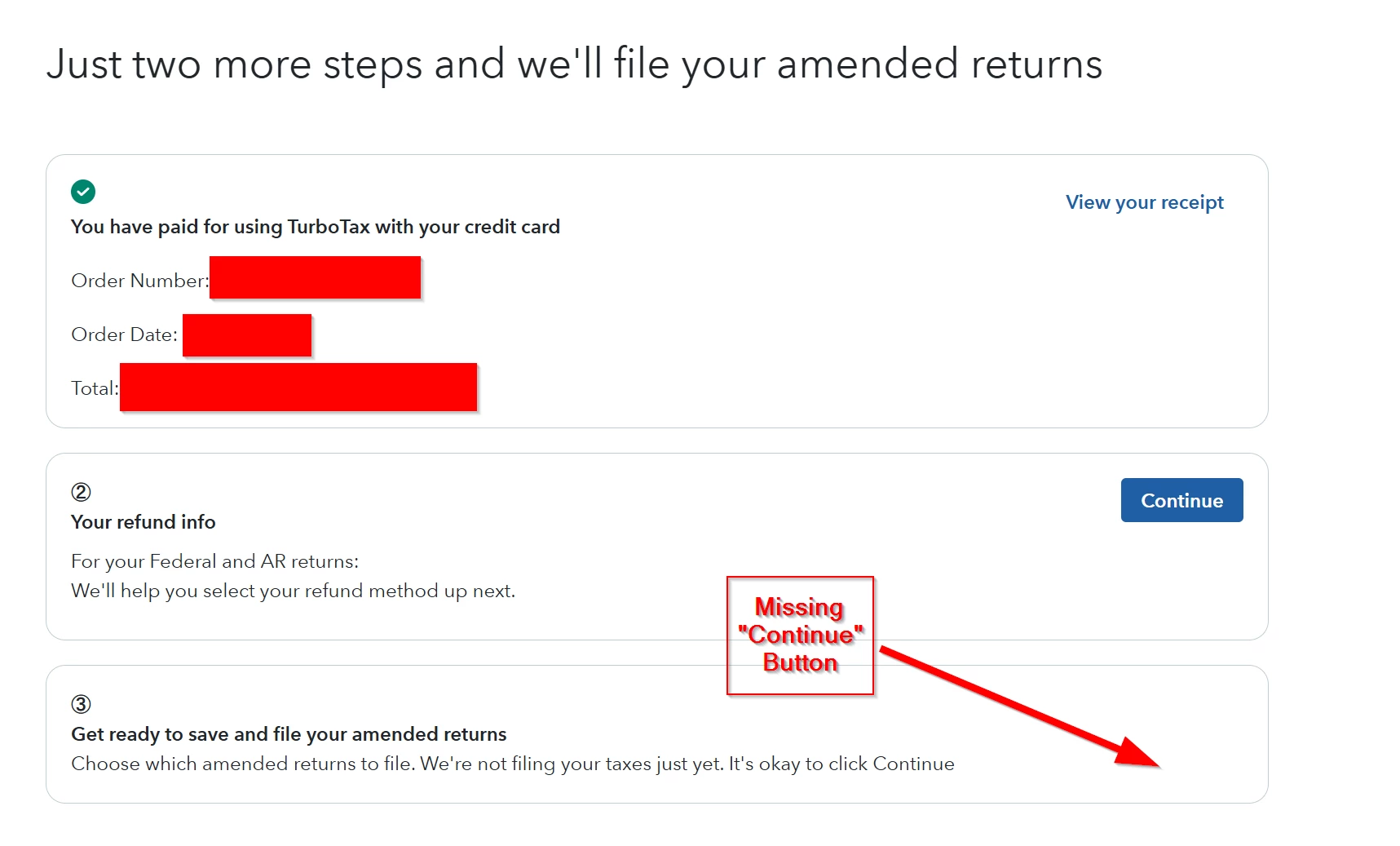
 

I am not sure how to proceed. I have tried removing/readding my personal information and redoing the amendment to come back to the same issue. It seems like a TurboTax Bug.

    1 reply

    CatinaT1
    Level 15
    March 6, 2026

    There was an update that should have gone out last night for Amendments. 


    If you are using desktop software you may need to do a manual update. Try clearing your Cache and Cookies and then try this link instructions.


    If you are using the online software, Clear Cache and Cookies

    **Say "Thanks" by clicking the thumb icon in a post. **Mark the post that answers your question by clicking on "Mark as Best Answer"
    patbob101Author
    Level 2
    March 6, 2026

    I am using the TurboTax Online version. I tried clearing cache and cookies and Canceling/Redoing my Amend today and the Continue button on Step 3 is still missing:


    LindaS5247
    Level 14
    March 8, 2026

    If you can not see your continue button in your TurboTax Online try using a different browser, like Chrome or Firefox.  Also, make sure that your browser zoom is at no more than 100% as your continue button may be hidden below the viewing  area.


    Also try running your TurboTax in incognito mode. 


    Sometimes just signing out and closing the browser can refresh your TurboTax session.


    Please return to Community if you have any additional information or questions and we would be happy to help.

    **Say "Thanks" by clicking the thumb icon in a post. **Mark the post that answers your question by clicking on "Mark as Best Answer"




