
Level 1
March 30, 2020
Question

California Form 540 line 12 error

  • March 30, 2020
  • 3 replies
  • 0 views

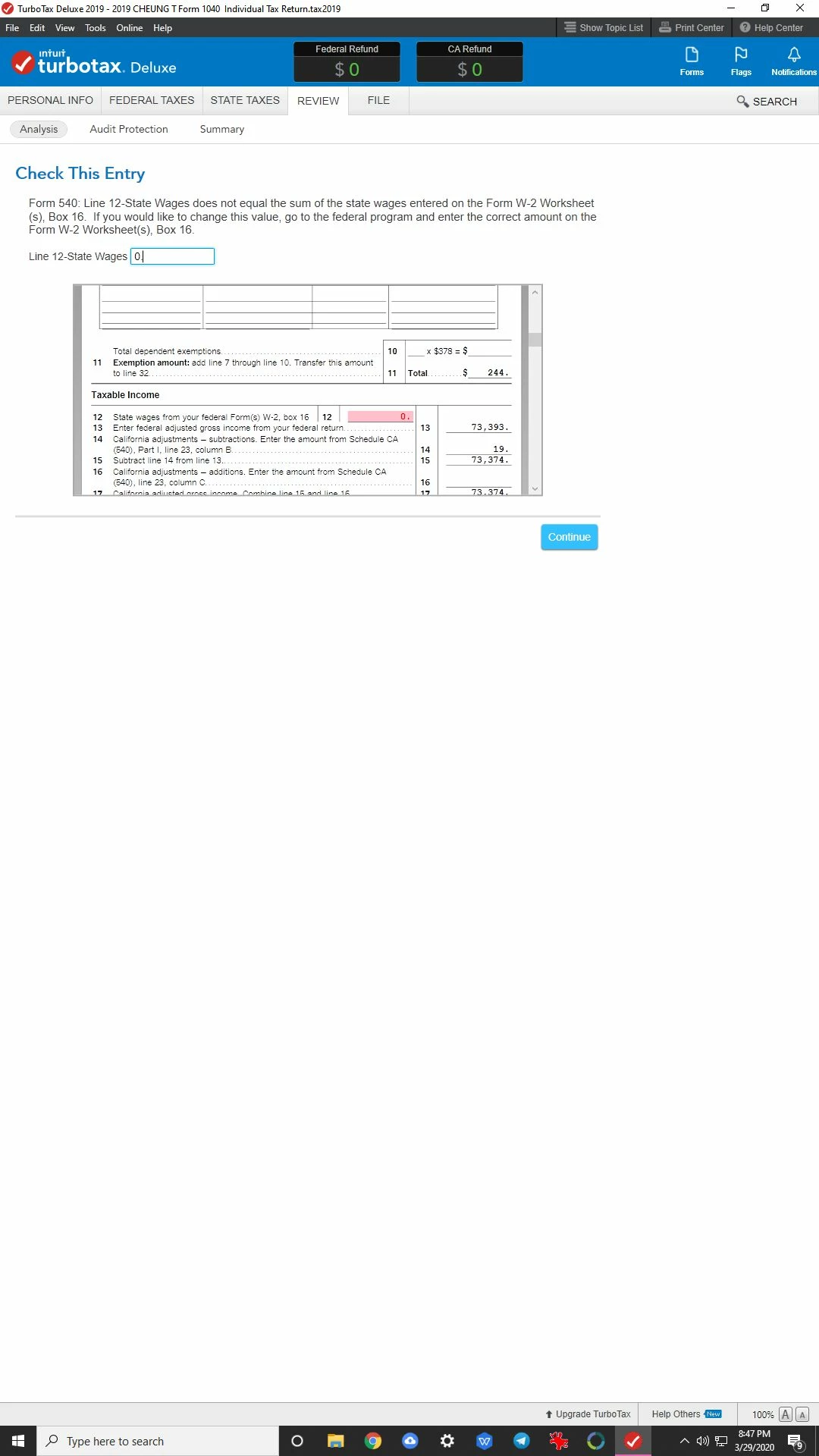
I do not know how to fix this error. It shows during error check right before e-file to California FTB. The error was on Line 12 of form 540. The number is derived from W-2 forms but I do not have any W-2 because I am retired, nor did I see any active W-2 form in my Federal part of TTAX. I think I put zero there because it was caught by a previous error check. Please help! The program has been fully updated till today, 3/29/2020.
    3 replies

    KathrynG3
    Level 14
    March 30, 2020

    Remove the zero. Right click on line 12 and delete. Make sure there is not even a space left in the cell by clicking delete several times. 


    I would also follow these additional steps:

    1. double-click Open Forms and type in Form W-2 Worksheet(s).
    2. If anything is listed under the Federal or State, I recommend opening those forms and clicking Delete Form.
    3. Then, save and close the program completely.
       
    4. Wait a minute and re-open TurboTax.
    5. Run the reviews again to verify this cleared the errors.

    @TCheung

    Level 2
    February 20, 2021

    The same thing occurs in Turbo Tax 2020 (for the CA Form 540, Line 12).  Turbo Tax seems to think I had a W-2 when I did not. 


    On line 12, I clicked on the box to open the details window.

    I deleted the first row.

    I closed the box and returned to Form 540. 

    The box for Line 12 no longer has a red $0.

    The error is no longer an issue.

    Save the return. 

    Level 9
    February 22, 2021

    The form California line 12 is State wages from your federal W2's. To clear this error, delete the W2 on federal tab:

    1. Under Your Income and Expenses, click Job (W2)..
    2. Click edit next to the employer name.
    3. Click the trash can.




